【Geek】怎样卸载Windows Store Apps

2026-02-15 18:40:41

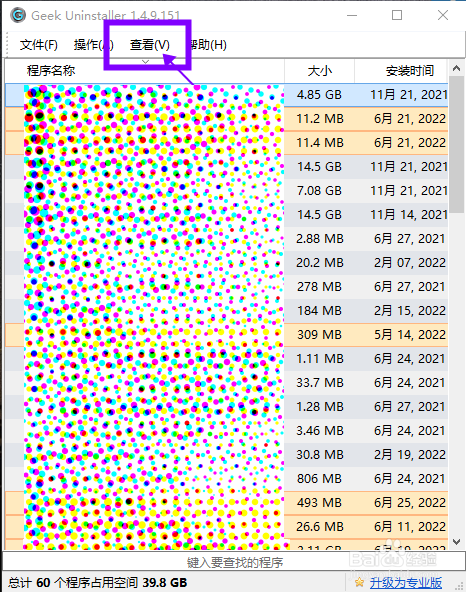
1、打开电脑上的GeekUninstaller软件,点击界面顶部栏中的【查看】。

【Geek】怎样卸载Windows Store Apps

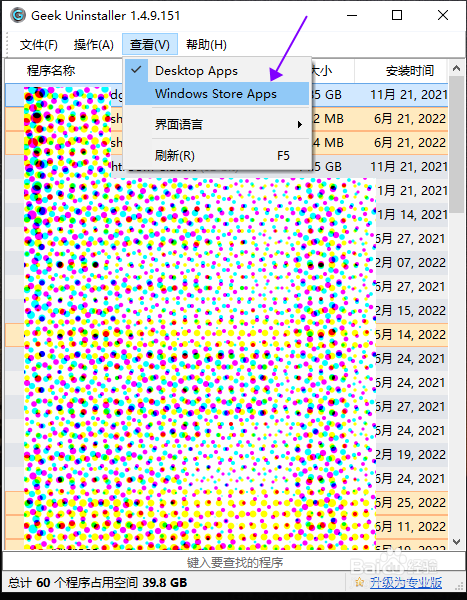
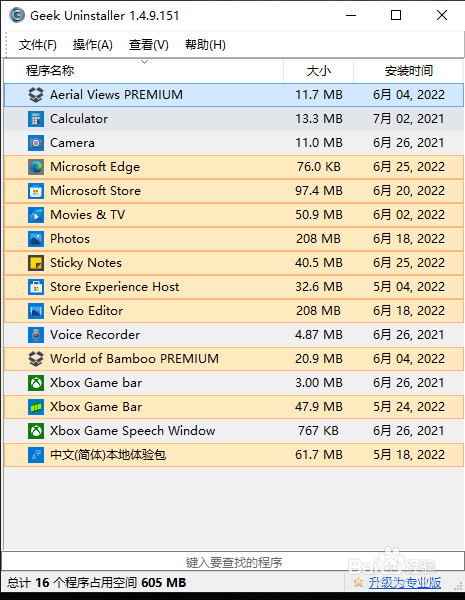
2、在查看选项菜单中,点击勾选【Windows Store Apps】,然后,软件界面中会展示电脑上已安装的Windows Store Apps。

【Geek】怎样卸载Windows Store Apps

【Geek】怎样卸载Windows Store Apps

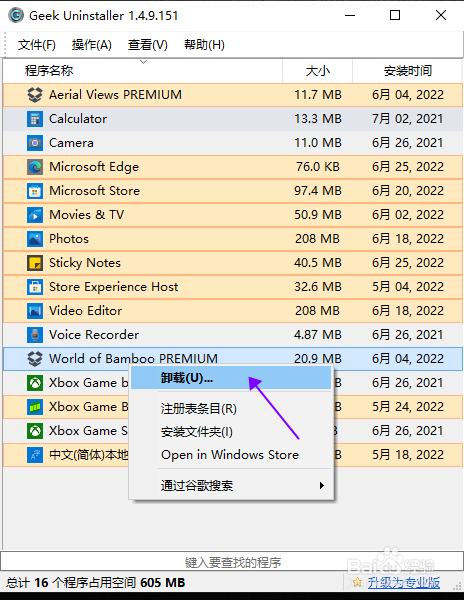
3、鼠标右键点击需要删除的App,然后在右键菜单中,点击【卸载】。

【Geek】怎样卸载Windows Store Apps

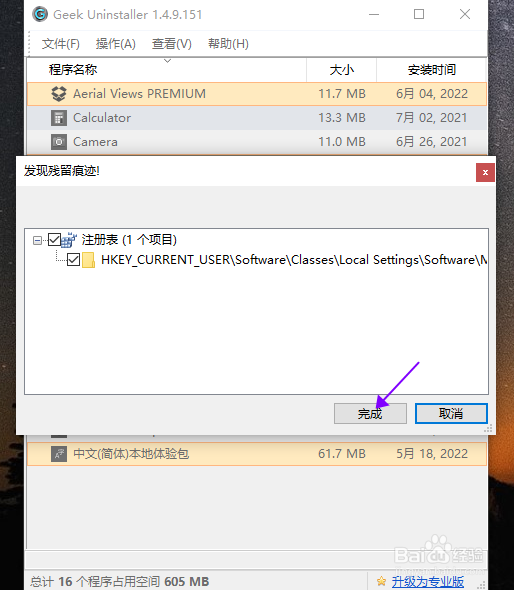
4、在弹出的残留痕迹窗口,点击【完成】,清理痕迹。

【Geek】怎样卸载Windows Store Apps

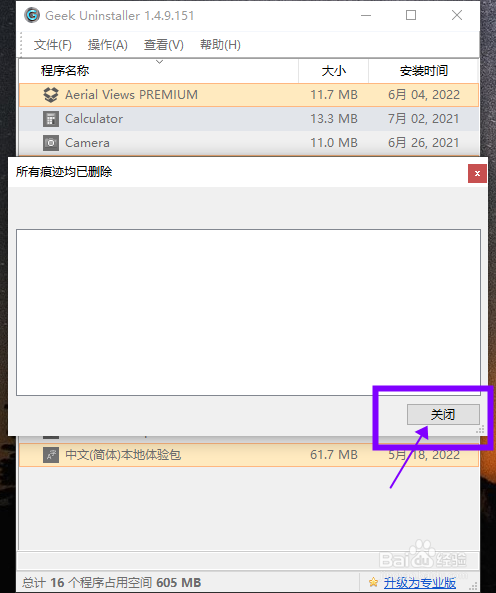
5、清理完成后,点击【关闭】,完成卸载操作。

【Geek】怎样卸载Windows Store Apps

猜你喜欢