Apple ID怎么在电脑登录?
1、如图所示,首先在我们的电脑桌面上找到搜狗浏览器并点击它。

2、如图所示,然后输入“ICLOUD官方网站”并点击回车键。

3、如图所示,接着点击iCloud官网。

4、如图所示,然后输入我们的苹果id并点击确定键。
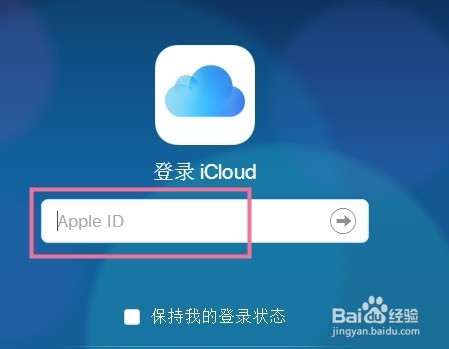
5、如图所示,接着输入我们的Apple密码。

6、如图所示,然后输入我们手机所收到的信息。

7、如图所示,接着点击信任。

8、如图所示,通过以上操作,我们就在电脑上登录了我们的apple id了。

阅读量:135
阅读量:133
阅读量:170
阅读量:156
阅读量:25