xshell更改/导入配色方案
1、1 打开xshell,右键空白处--选择“配色方案”
2 可以选择自己新建方案,也可以将方案导入

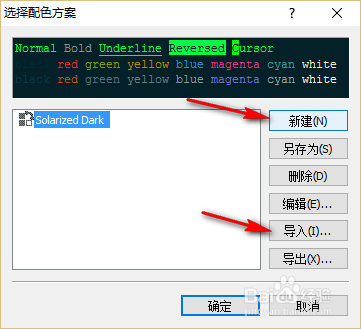
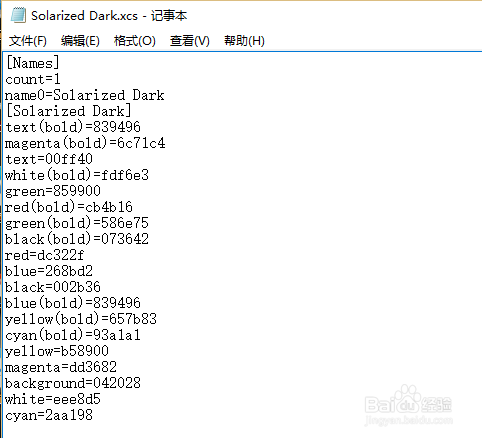
2、把下面代码保存到一个文件里,文件名为:Solarized Dark.xcs(注意后缀名,一定是.xcs)
[Names]
count=1
name0=Solarized Dark
[Solarized Dark]
text(bold)=839496
magenta(bold)=6c71c4
text=00ff40
white(bold)=fdf6e3
green=859900
red(bold)=cb4b16
green(bold)=586e75
black(bold)=073642
red=dc322f
blue=268bd2
black=002b36
blue(bold)=839496
yellow(bold)=657b83
cyan(bold)=93a1a1
yellow=b58900
magenta=dd3682
background=042028
white=eee8d5
cyan=2aa198
3、1 选择导入--找到文件保存的位置--选择,打开
2 导入成功,选择后就可以使用


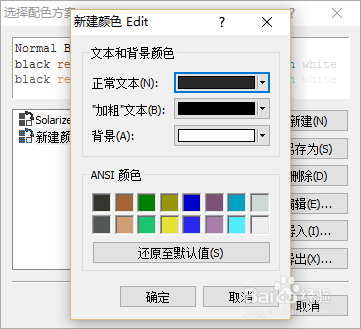
4、也可以新建

5、附带两张效果图


阅读量:53
阅读量:175
阅读量:70
阅读量:112
阅读量:101