myeclipse JDK的更换及jar包添加
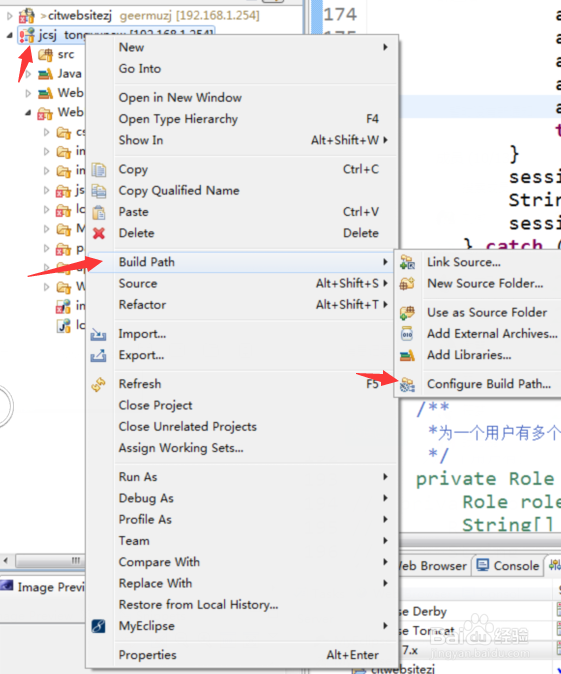
1、右键选择项目,build path - configure build path 如图
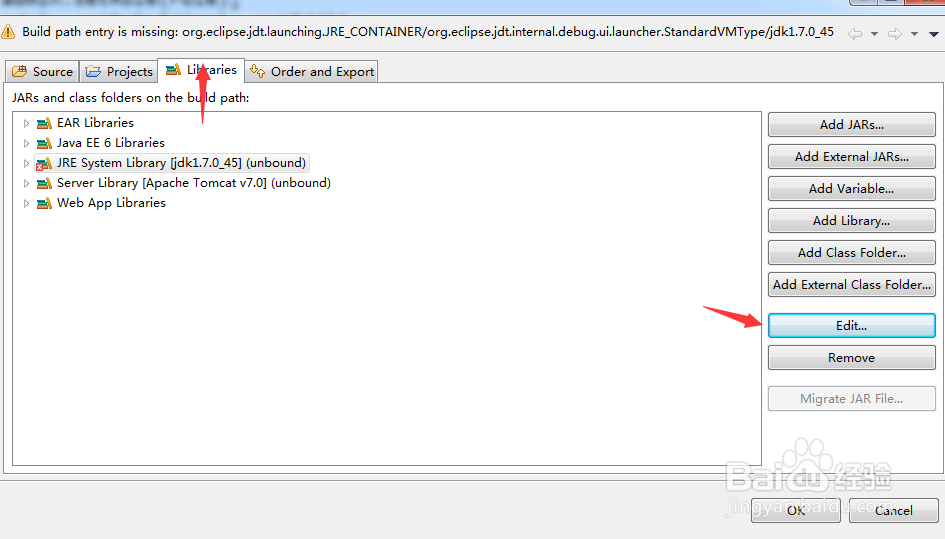
2、选择libraries,选中要更改的jdk ,选择edit,如图
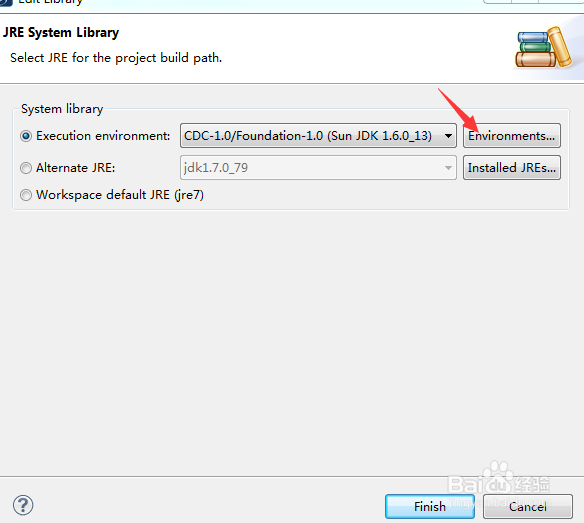
3、选择execution environment,找到本机安装的jdk的位置添加;这样就成功的更换了jdk了.
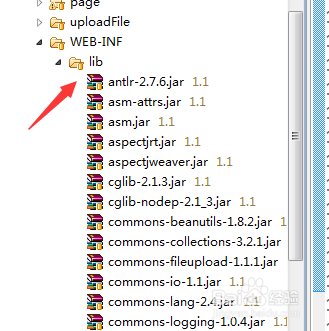
4、将jar 复制到 web-inf 下的lib包下
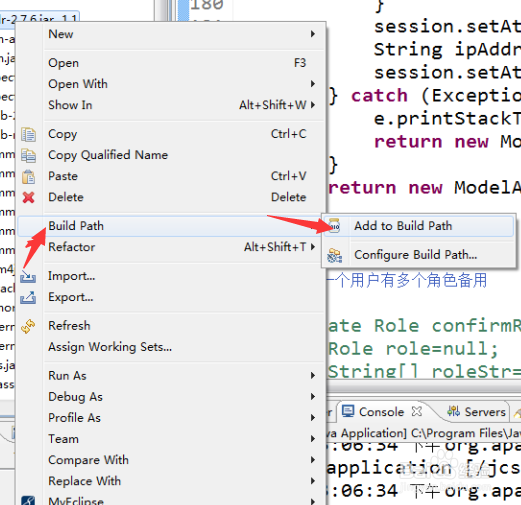
5、右键选择 build path - add to build path.
6、希望本文能帮到广大的java初学者,只有持之以恒才能取得成功.

阅读量:20
阅读量:183
阅读量:35
阅读量:81
阅读量:116