Mac版谷歌浏览器如何查看所有Cookie?
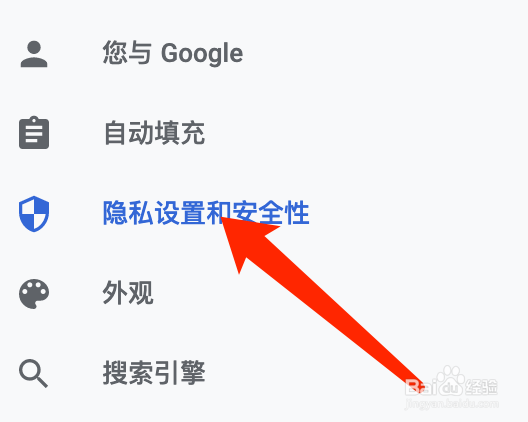
1、点击隐私设置和安全性
进入浏览器设置后,点击隐私设置和安全性。
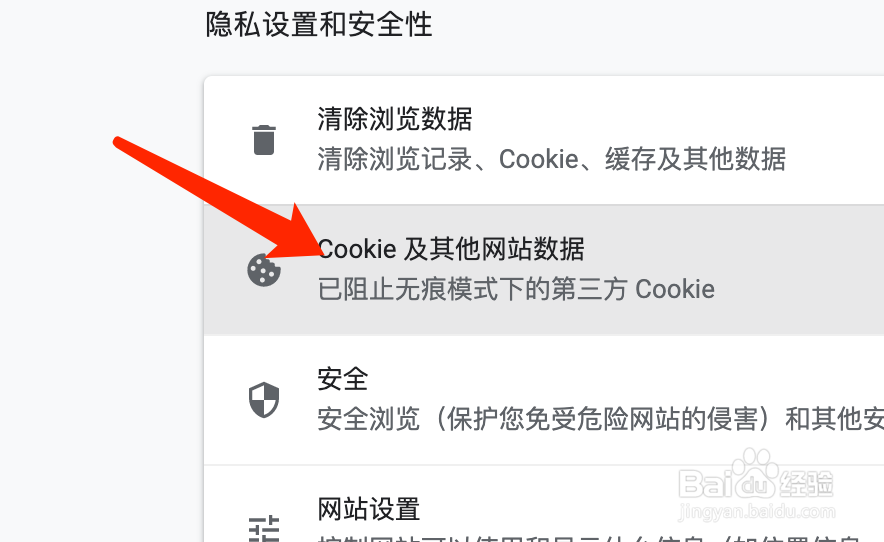
2、点击Cookie及其他网站数据
在隐私设置和安全性页面中,点击Cookie及其他网站数据。
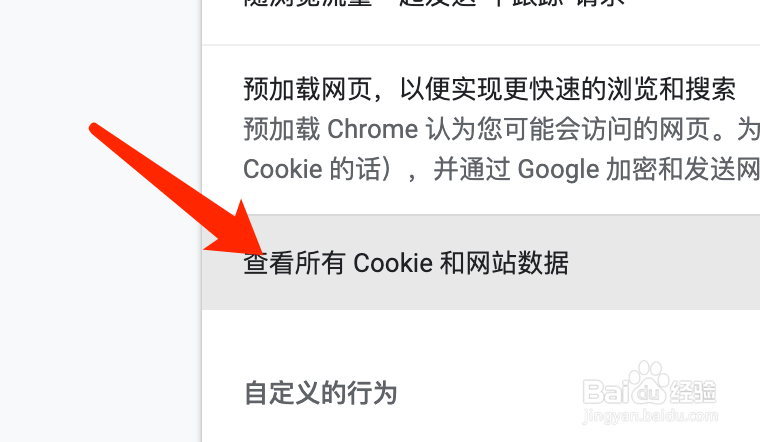
3、查看所有Cookie
在页面下侧,点击查看Cookie及网站数据即可。
阅读量:158
阅读量:153
阅读量:65
阅读量:121
阅读量:142
1、点击隐私设置和安全性
进入浏览器设置后,点击隐私设置和安全性。
2、点击Cookie及其他网站数据
在隐私设置和安全性页面中,点击Cookie及其他网站数据。
3、查看所有Cookie
在页面下侧,点击查看Cookie及网站数据即可。