怎样在scratch3.0中弹奏吉他
1、打开scratch3.0,进入其主界面;

2、点击小猫右上角的叉叉将其删除;

3、点击选择一个角色按钮;

4、在音乐类别中找到并选中需要的吉他角色;

5、创建好一个吉他角色,然后点击选择一个背景;

6、在音乐中找到剧院背景;
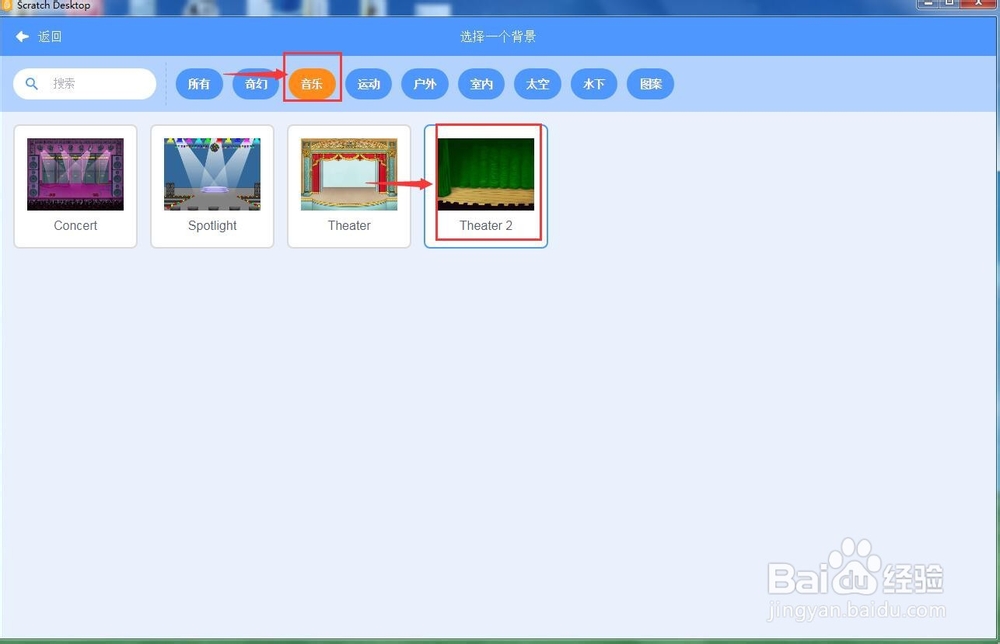
7、添加一人剧院背景;

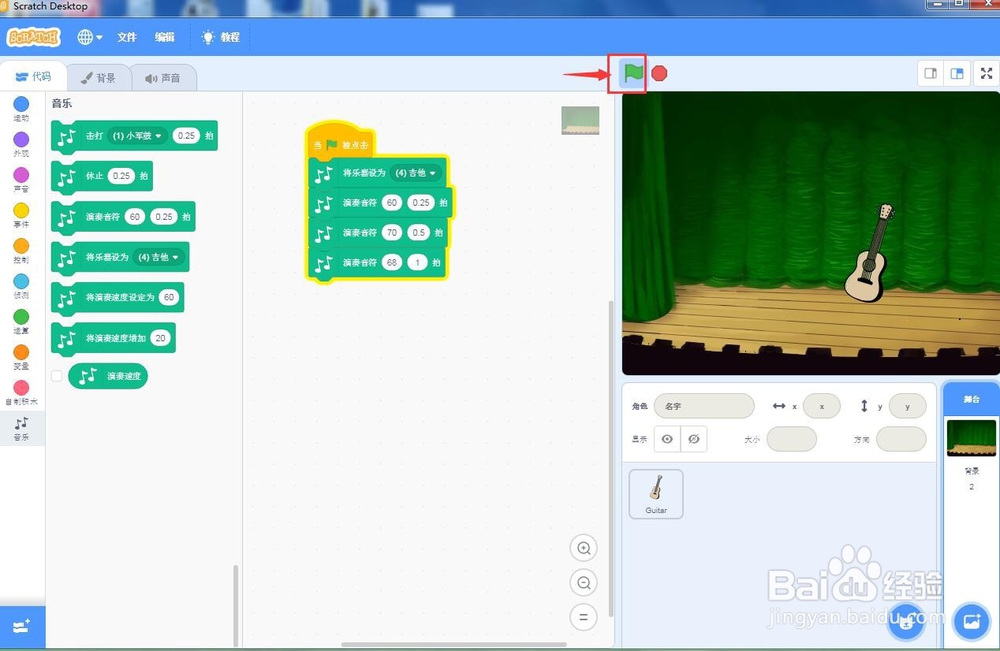
8、添加如下脚本,让吉他演示吉他音乐;

9、我们就在scratch3.0中弹奏出了吉他音乐。
1、打开scratch3.0,将小猫角色删除;
2、添加角色吉他;
3、添加背景剧院;
4、添加脚本让吉他演奏音乐。
阅读量:69
阅读量:73
阅读量:128
阅读量:44
阅读量:49