taptap如何清空缓存?
1、打开taptap,点击左上角的个人头像。

2、点开左侧栏的设置。

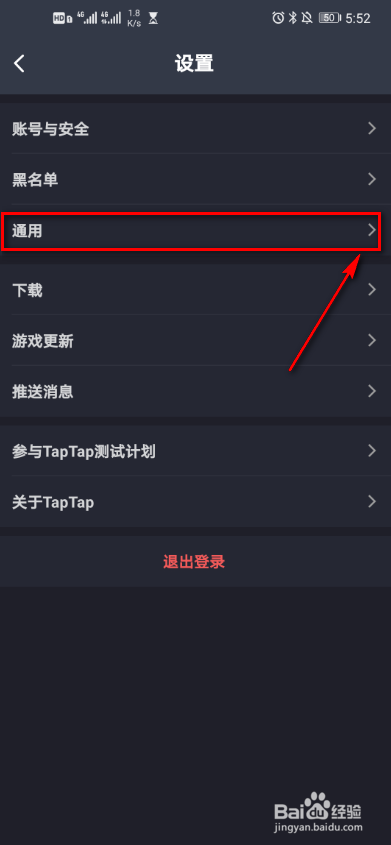
3、点击通用。
4、点开清空缓存。

5、界面跳出提示,点击确认。

1、打开taptap,点击左上角的个人头像。
2、点开左侧栏的设置。
3、点击通用。
4、点开清空缓存。
5、界面跳出提示,点击确认。
阅读量:91
阅读量:47
阅读量:173
阅读量:190
阅读量:27
1、打开taptap,点击左上角的个人头像。
2、点开左侧栏的设置。
3、点击通用。
4、点开清空缓存。
5、界面跳出提示,点击确认。
1、打开taptap,点击左上角的个人头像。