CentOS7在防火墙与端口上的操作
1、CentOS7使用systemctl指令来管理系统的单一服务,在CentOS7中对于firewalld(防火墙)服务的开启、关闭、状态查询也同样是使用该指令,操作如下:
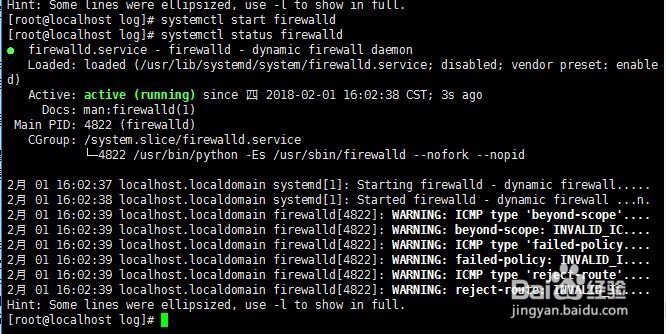
2、启动防火墙: systemctl start firewalld
3、查看防火墙状态: systemctl status firewalld
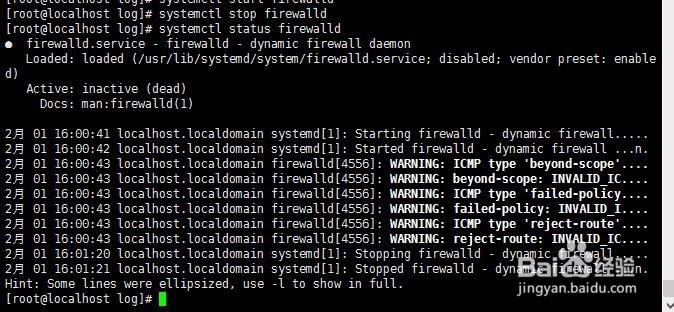
4、关闭防火墙: systemctl stop firewalld
5、开机时启用防火墙服务:systemctl enable firewalld开机时禁用防火墙服务:systemctl disable firewalld


6、查询防火墙服务是否开机启动:systemctl is-enabled firewalld

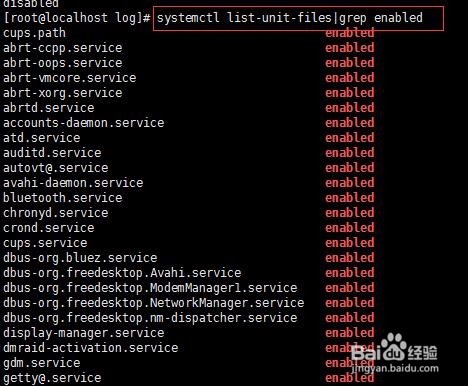
7、查询已经启动的服务列表:systemctl list-unit-files|grep enabled
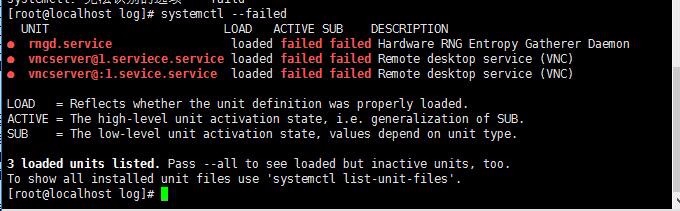
8、查询启动失败的服务列表:systemctl --failed
9、在安装软件或列库时,除了直接开启和关闭防火墙,也可以通过对端口的操作直接开放连接;添加端口:firewall-cmd --zone=public --add-port=80/tcp --permanent

10、更新防火墙规则:firewall-cmd --reload
查看端口状态:firewall-cmd --zone=public --query-port=80/tcp

11、删除开放的端口:firewall-cmd --zone=public --remove-port=80/tcp --permanent
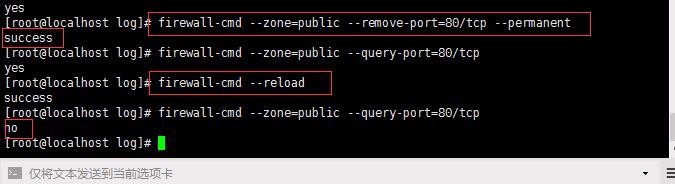
12、每次都更新防火墙规则,都需要重新更新:firewall-cmd --reload,更新状态;
13、此外,在更新完防火墙的设置后,也可以查看所有开启的端口:firewall-cmd --zone=public --list-ports
