WebStorm 2021.1.2怎么关闭提供的文档注释
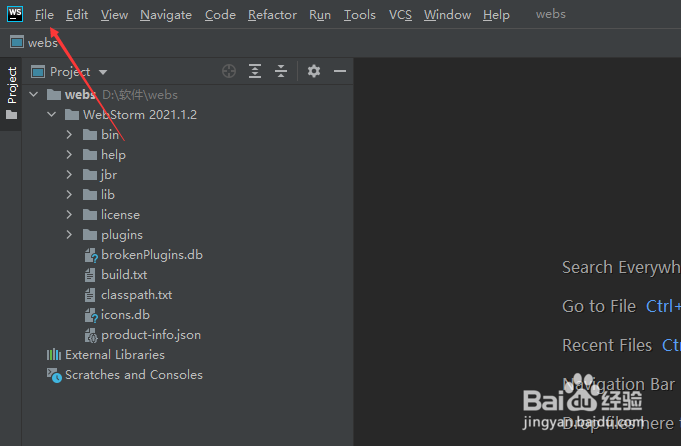
1、点击WebStorm 菜单中的file菜单
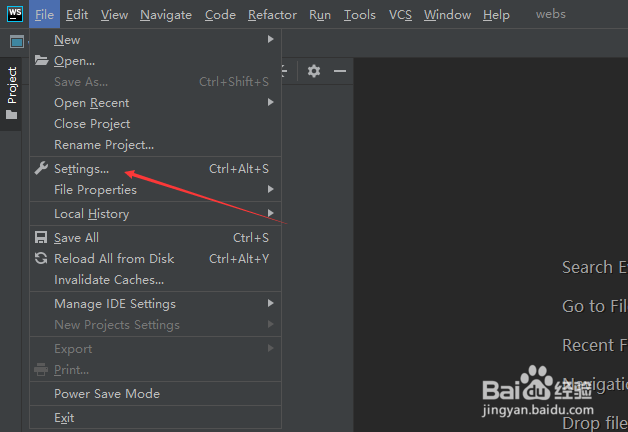
2、弹出了下拉菜单选中为settings选项
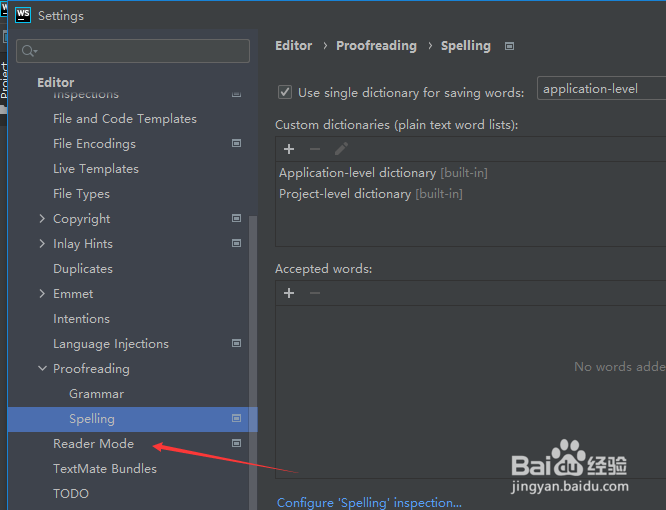
3、点击左侧中reader mode选项
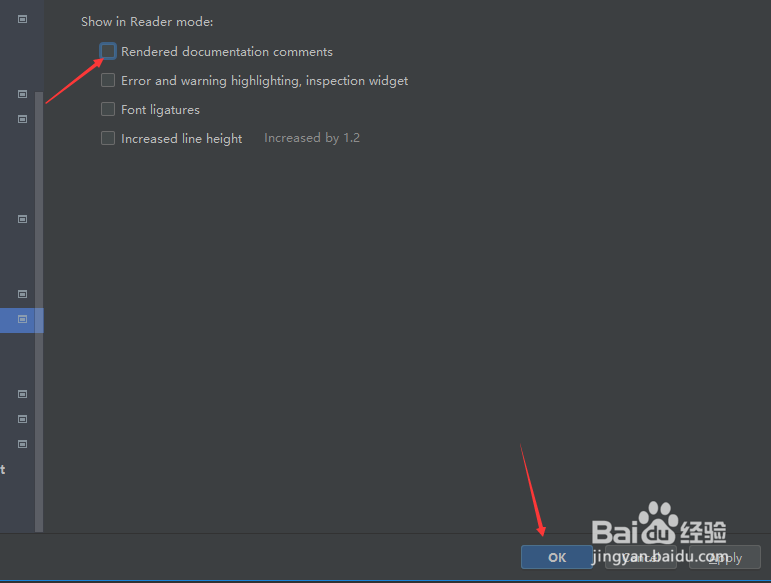
4、去掉勾选rendered documentaion comments选项

5、去掉勾选rendered documentaion comments选项之后,点击ok
阅读量:71
阅读量:121
阅读量:138
阅读量:47
阅读量:94
1、点击WebStorm 菜单中的file菜单
2、弹出了下拉菜单选中为settings选项
3、点击左侧中reader mode选项
4、去掉勾选rendered documentaion comments选项
5、去掉勾选rendered documentaion comments选项之后,点击ok