自在经验网
首页
美食营养
生活百科
知识问答
生活知识
返回
自在经验网
首页
美食营养
游戏数码
手工爱好
生活知识
生活百科
健康养生
运动户外
职场理财
情感交际
母婴教育
时尚美容
知识问答
更多知识
搜索
excel表格插入行
2026-04-01 11:57:04
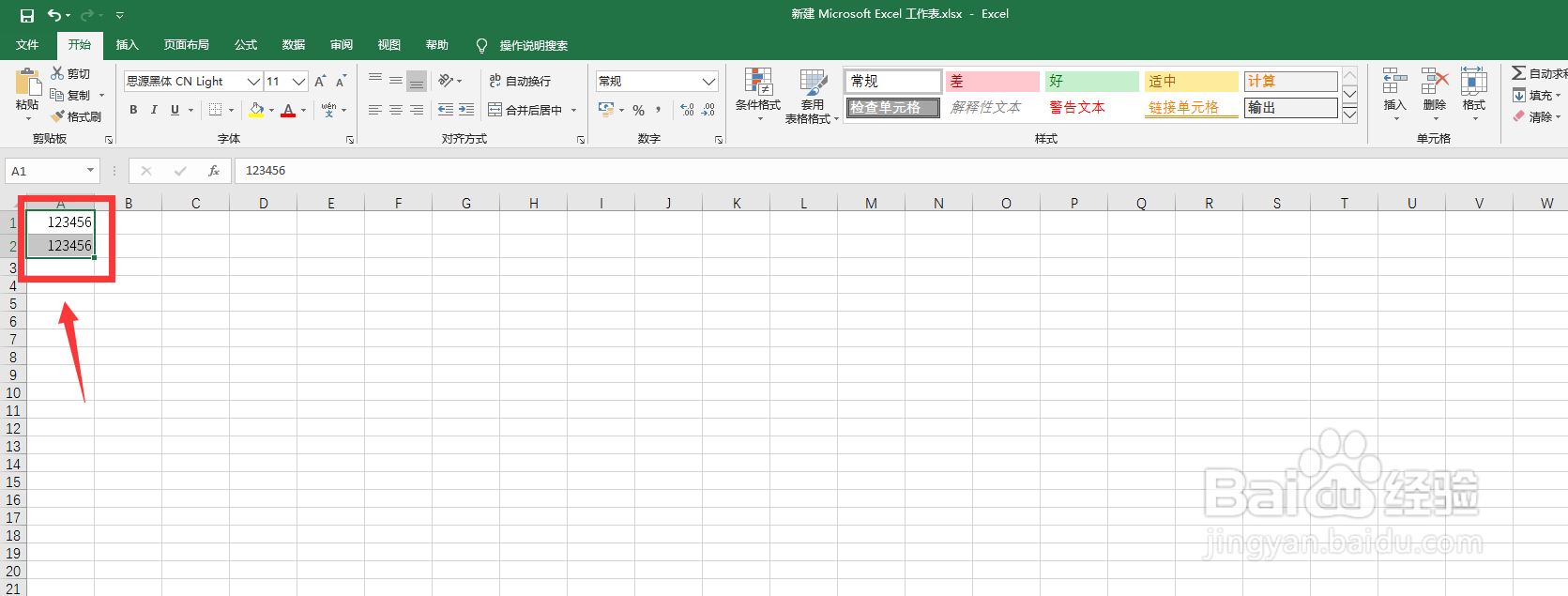
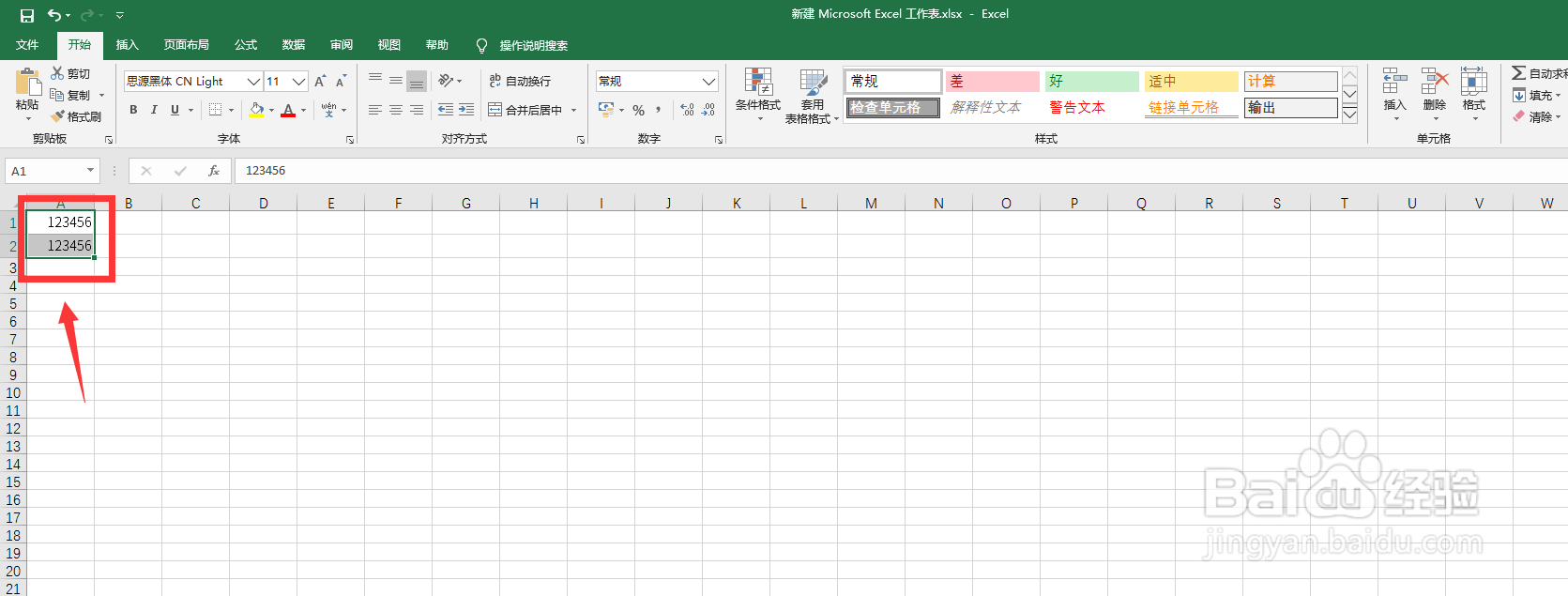
1、打开Excel,框选单元格
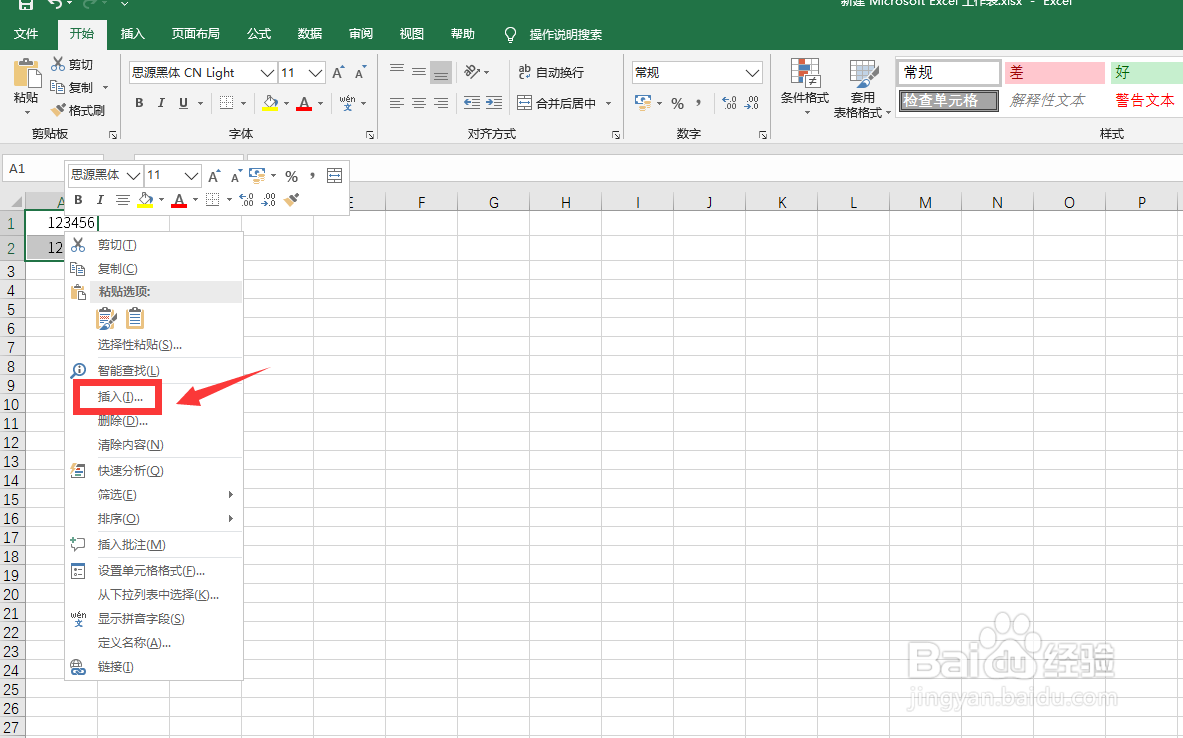
2、用鼠标右键点击【插入】
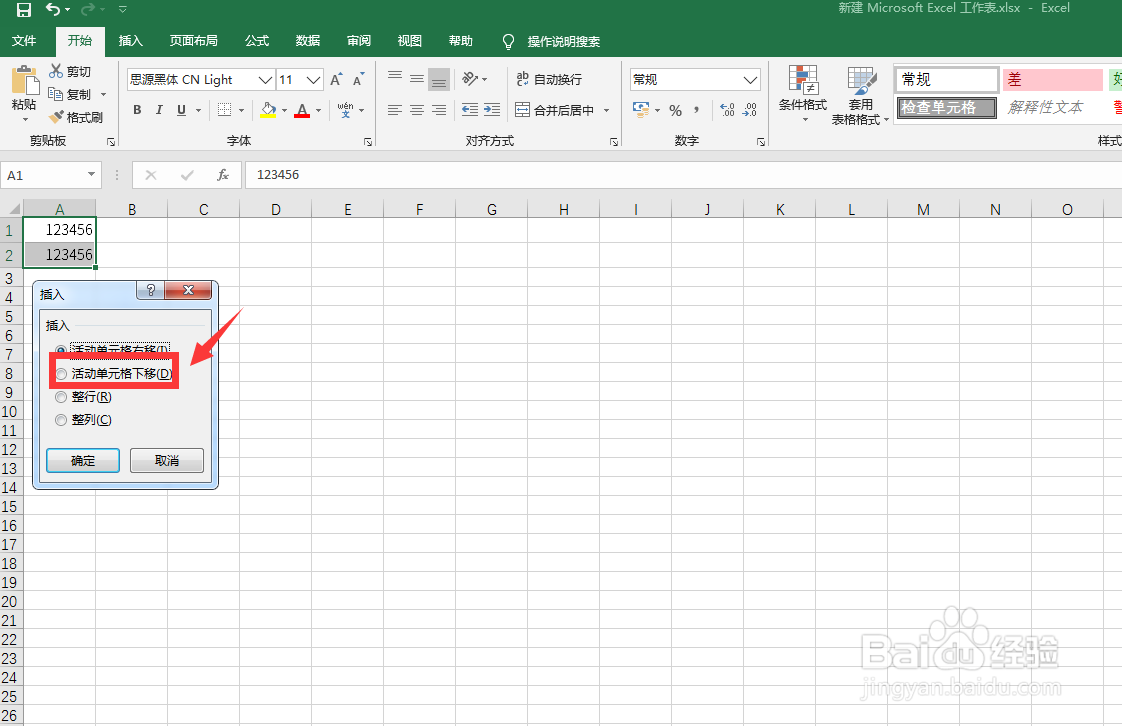
3、点击【活动单元格下移】
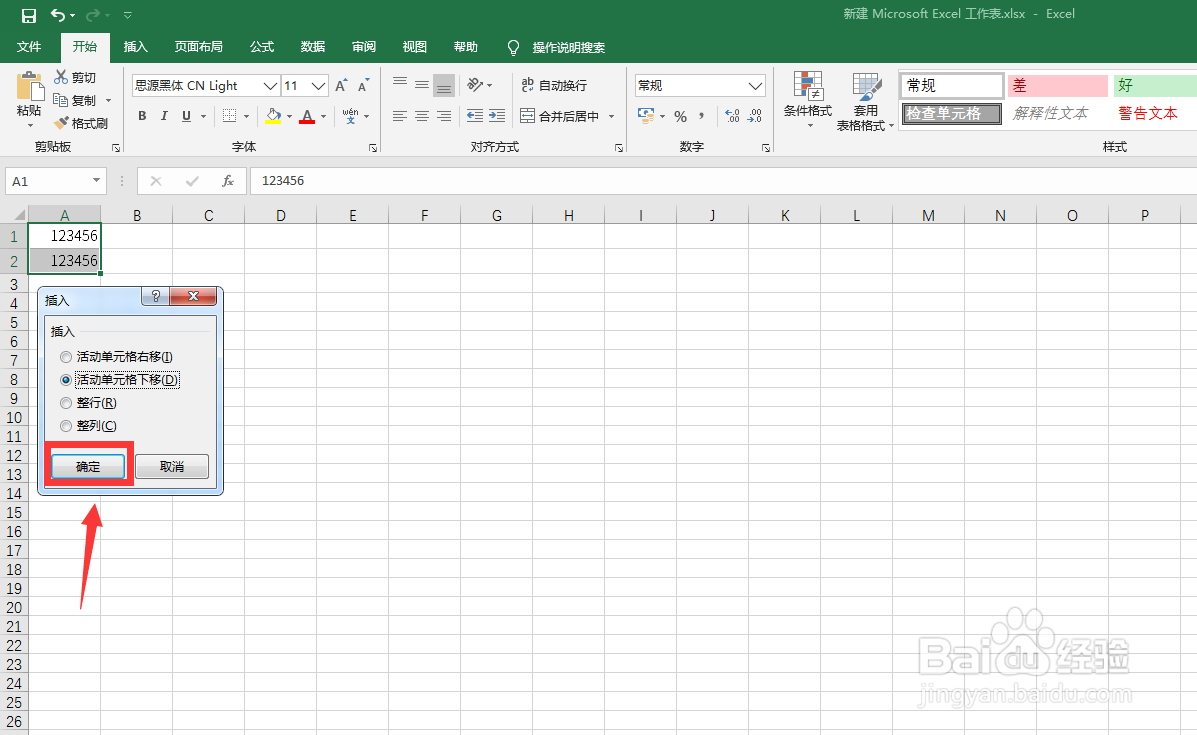
4、点击【确定】
1、打开Excel,框选单元格
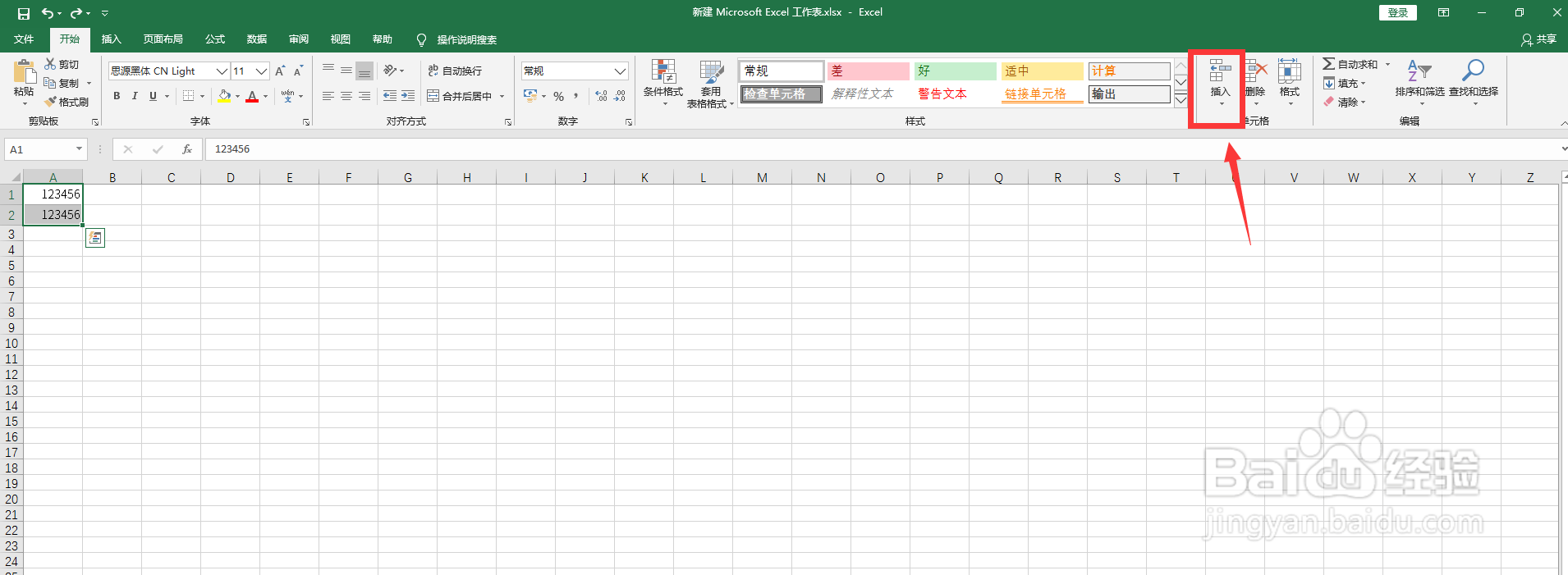
2、点击【插入】
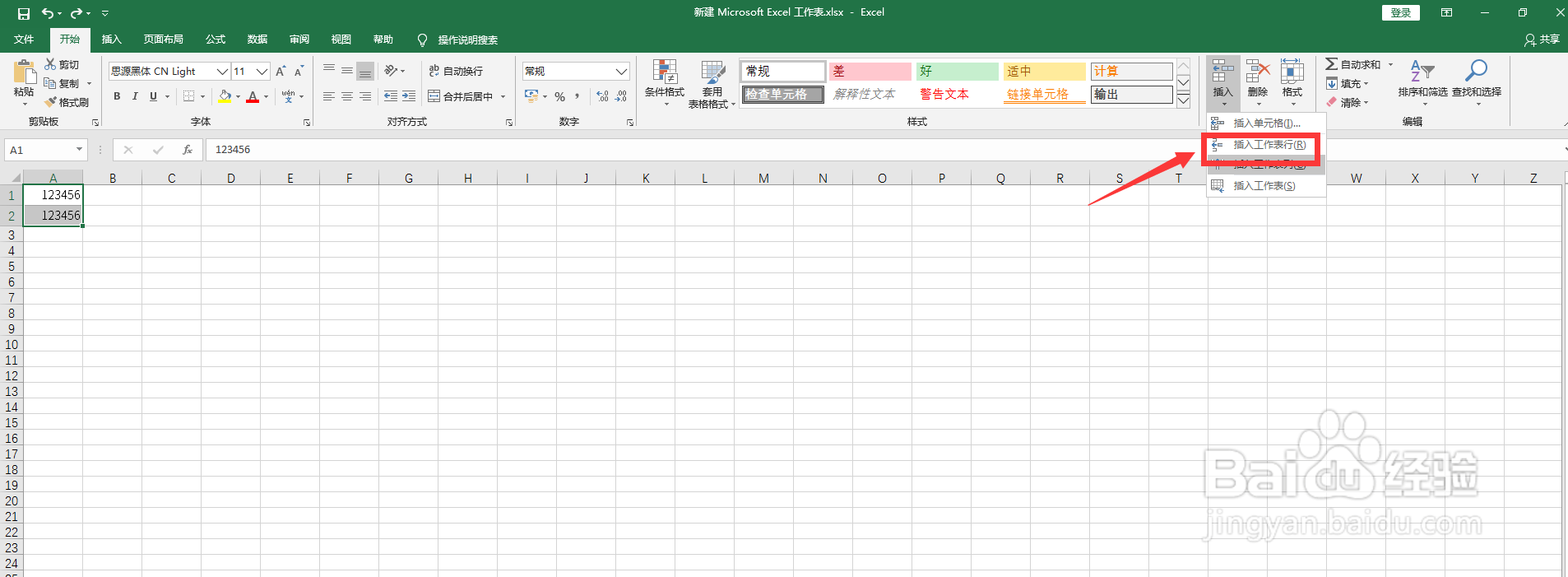
3、点击【插入工作表行】
相关推荐
表格条件格式怎么设置
阅读量:47
excel设置单元格格式
阅读量:179
如何将sheet1的内容复制到sheet2
阅读量:137
excel文本格式怎么设置
阅读量:108
如何将sheet1的内容复制到sheet2
阅读量:68
猜你喜欢
怎么唱歌好听
怎么让网速变快
妈富隆怎么吃
上海对外经贸大学怎么样
手机怎么解锁
头痛是怎么回事
咸鱼怎么做好吃
生育险怎么用
泰国用英语怎么说
怎么写歌词
猜你喜欢
未分配利润怎么算
技嘉显卡怎么样
和怎么读
许攸怎么死的
山茶油怎么吃
word怎么打下划线
邮政快递怎么收费
小孩湿疹怎么办
怎么煮茶叶蛋
家风家训怎么写