chrome 71.0以上版本始终允许Flash
1、在系统中打开注册表
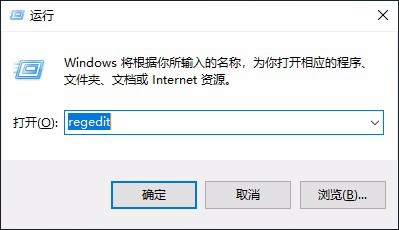
按键盘中Win+R打开运行框,输入regedit,打开注册表
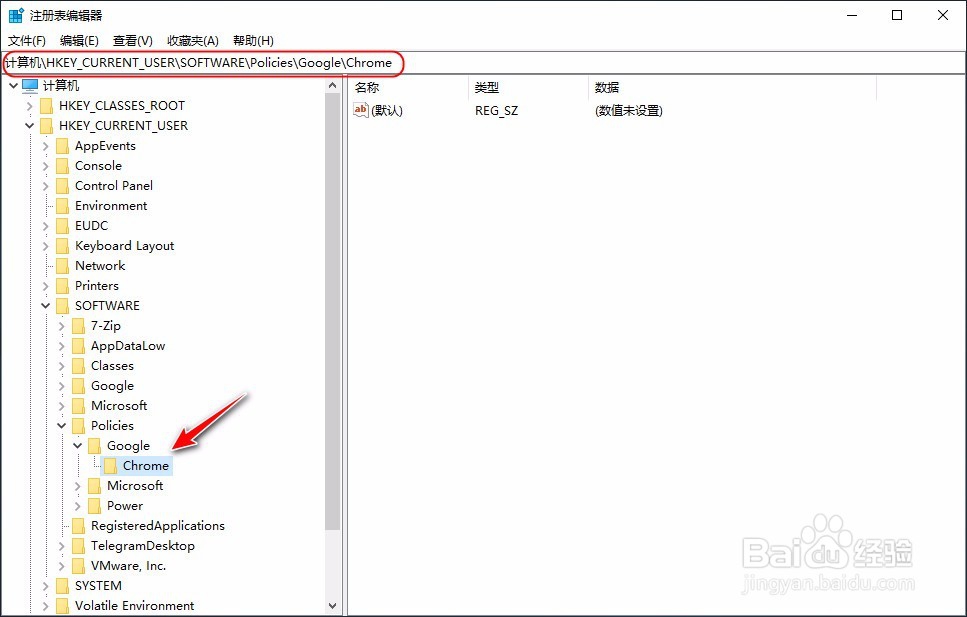
2、按以下路径,在注册表中找到chrome
HKEY_CURRENT_USER-Software-Policies-Google-Chrome
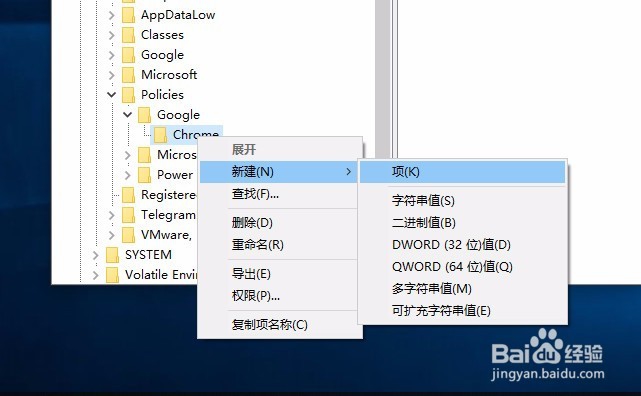
3、在chrome项下新建名称为: PluginsAllowedForUrls的项
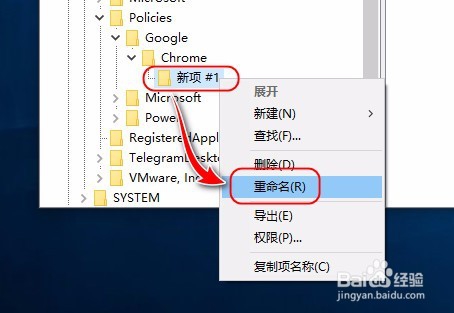
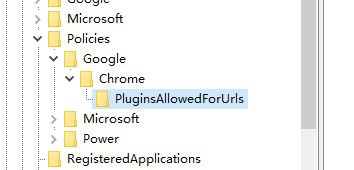
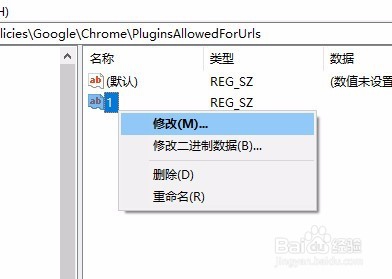
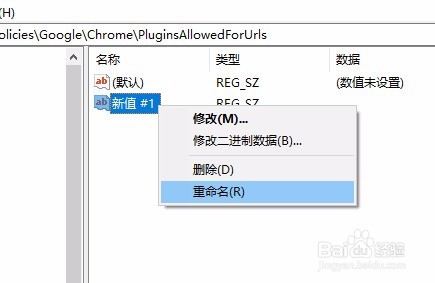
4、在新建的PluginsAllowedForUrls项,右边添加值。
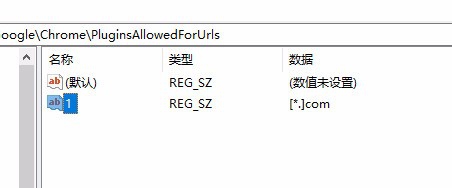
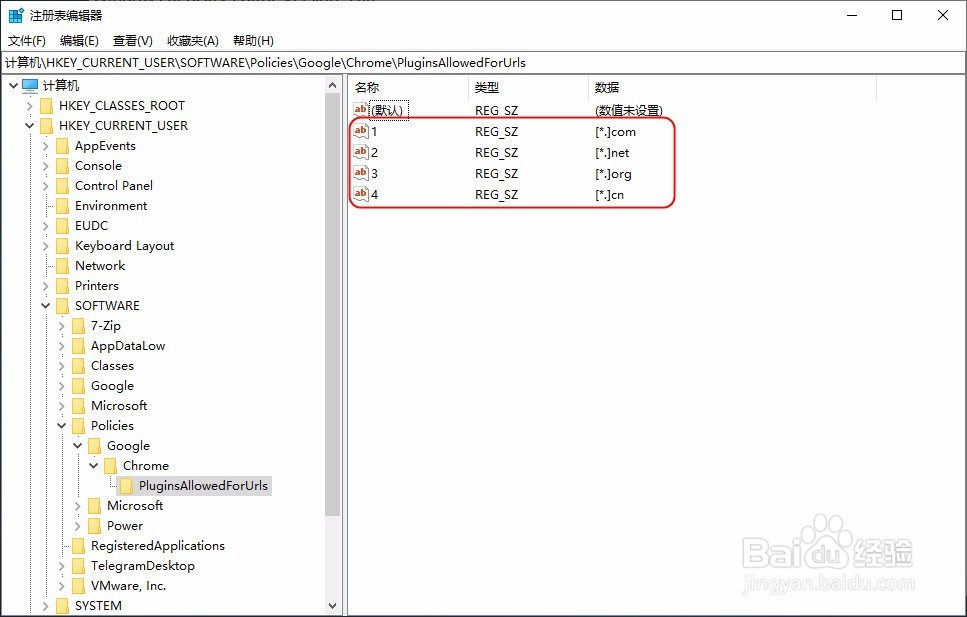
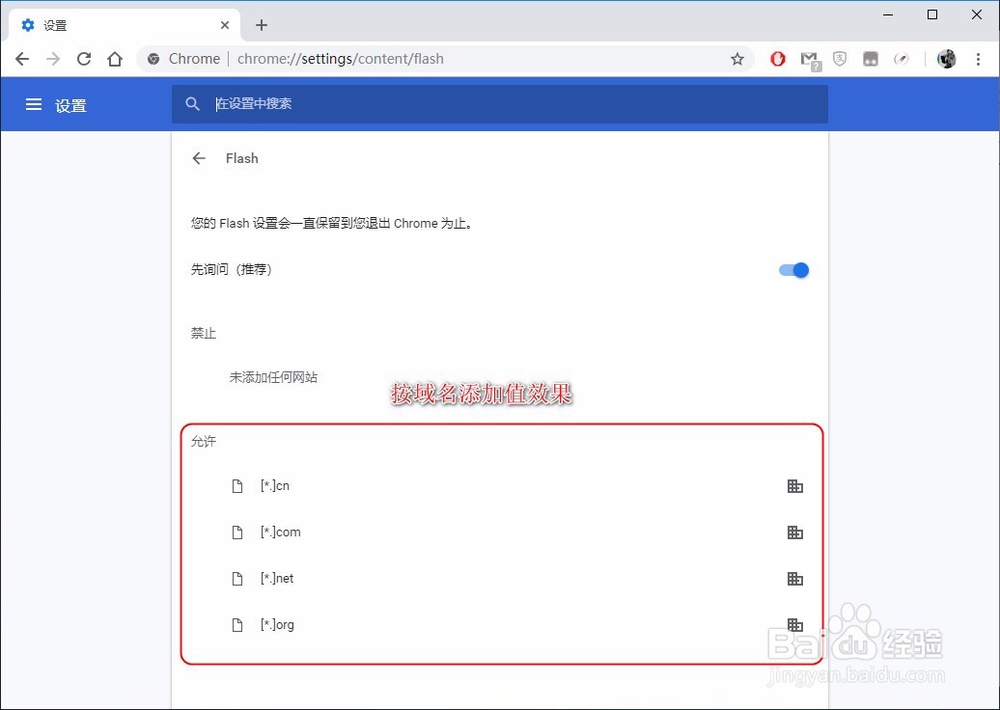
1、按域名添加值
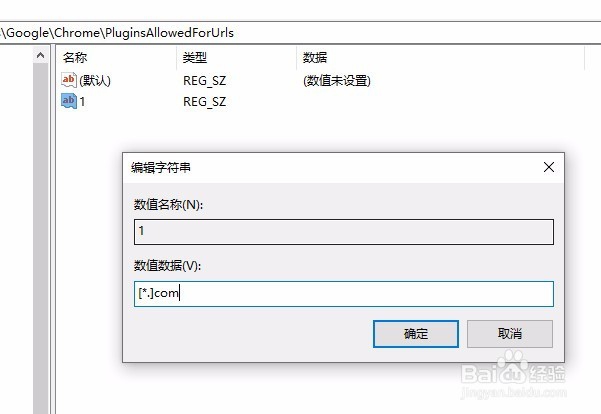
逐个添加:
"1"="[*.]com"
"2"="[*.]net"
"3"="[*.]org"
"4"="[*.]cn"
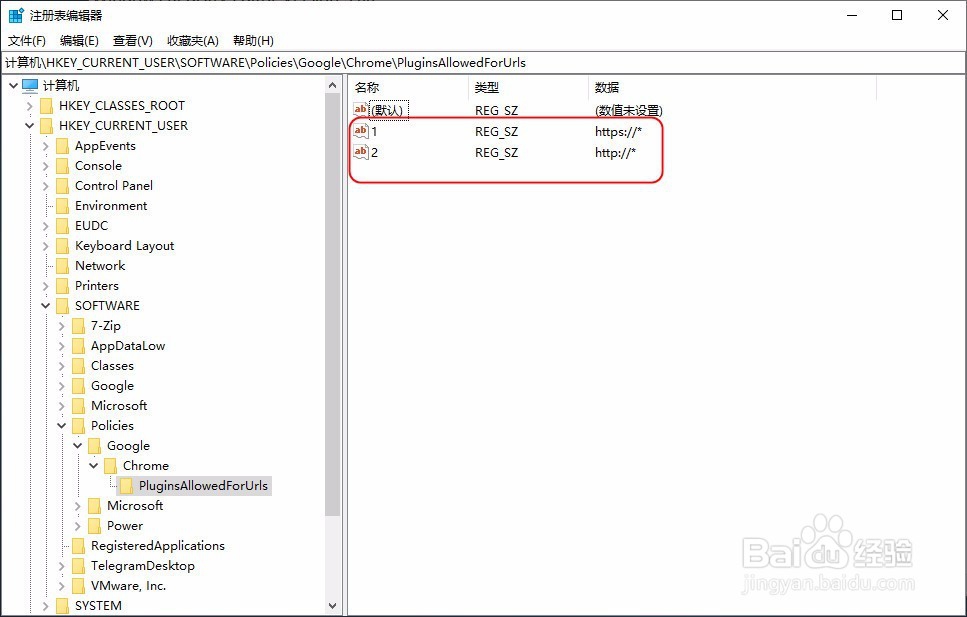
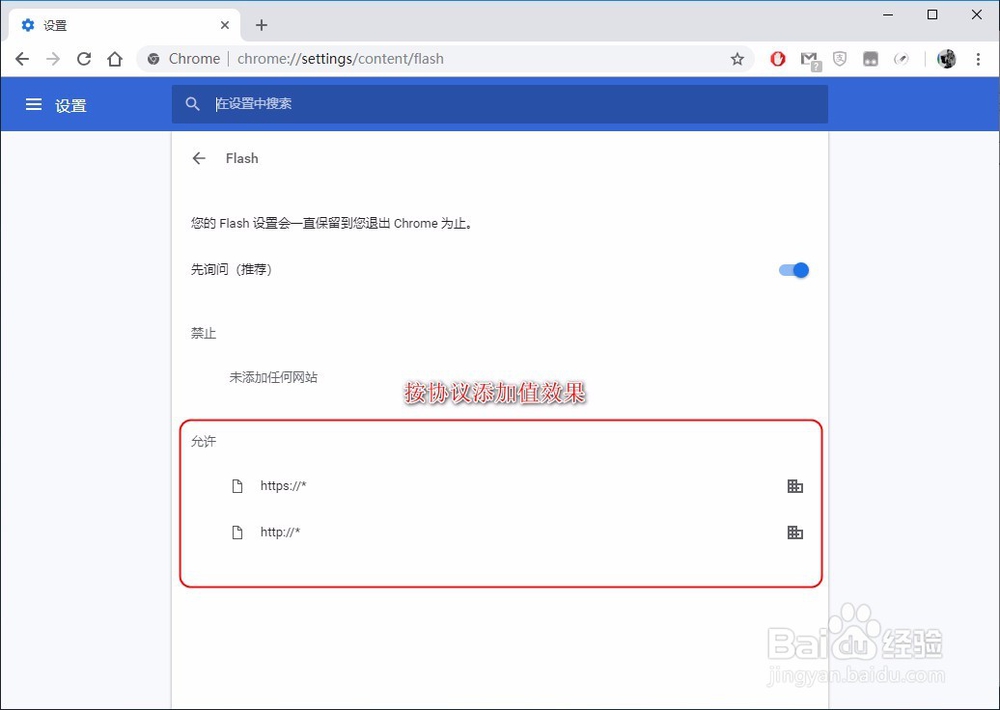
5、按协议添加值
同上,逐个添加:
"1"="https://*"
"2"="http://*"
6、重启,chrome浏览器,完成。
阅读量:128
阅读量:165
阅读量:95
阅读量:38
阅读量:144