Microsoft Remote Desktop怎么设置分辨率
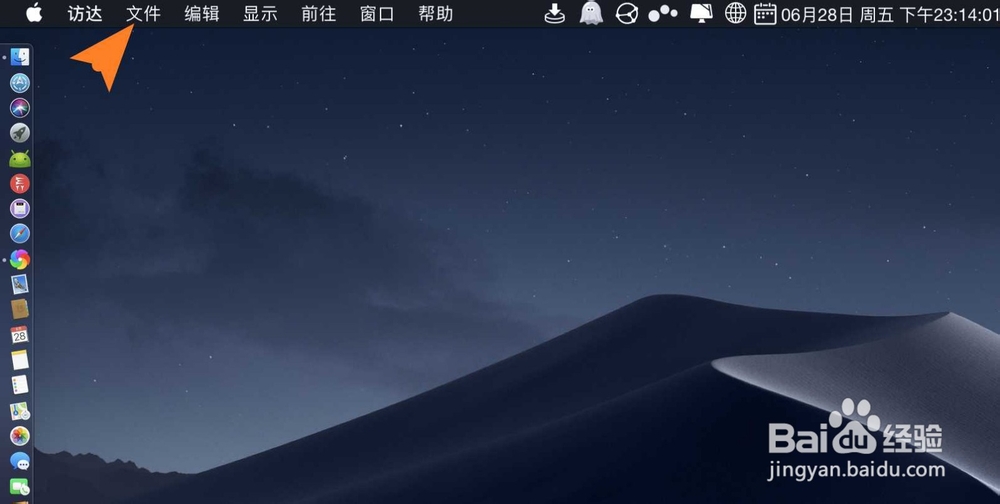
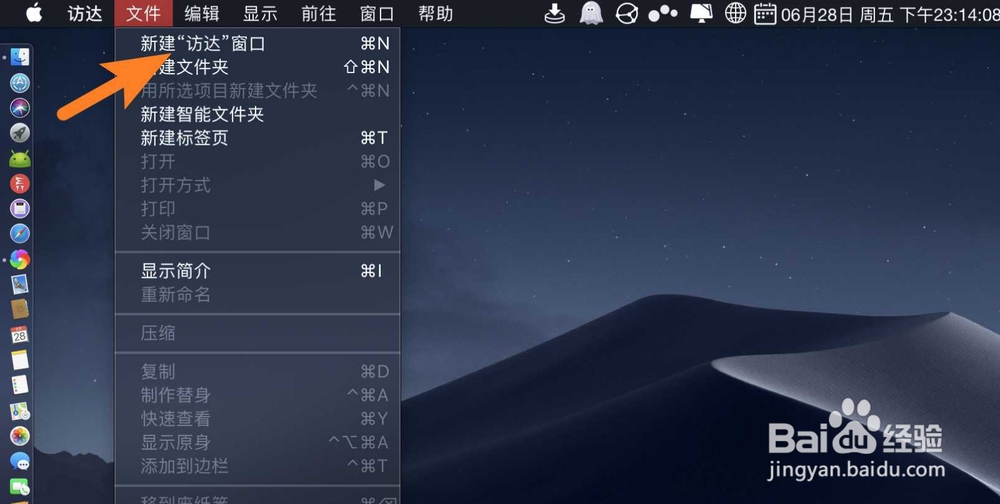
1、点击文件,弹出来点击新建xx,如图。
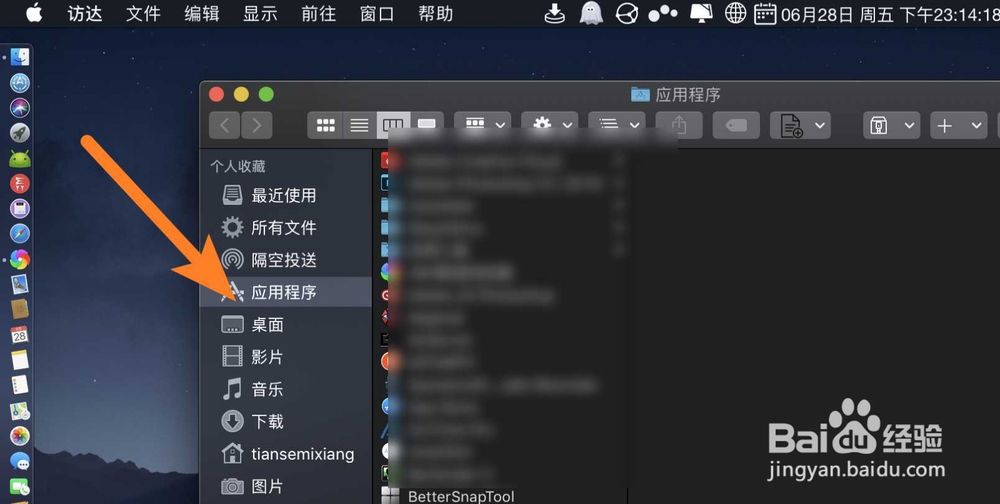
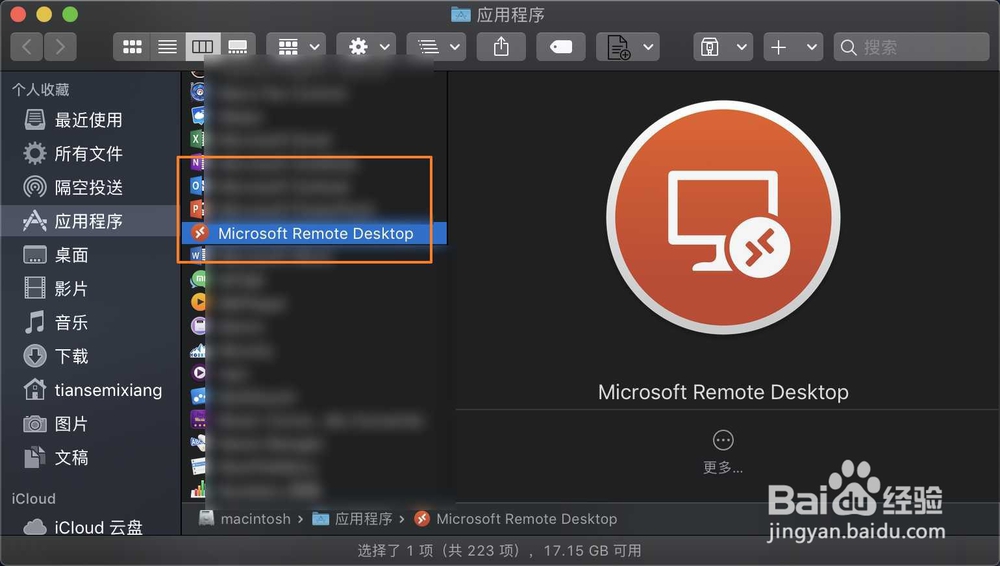
2、点击第四项应用xx,点击Remote Desktop,如图。
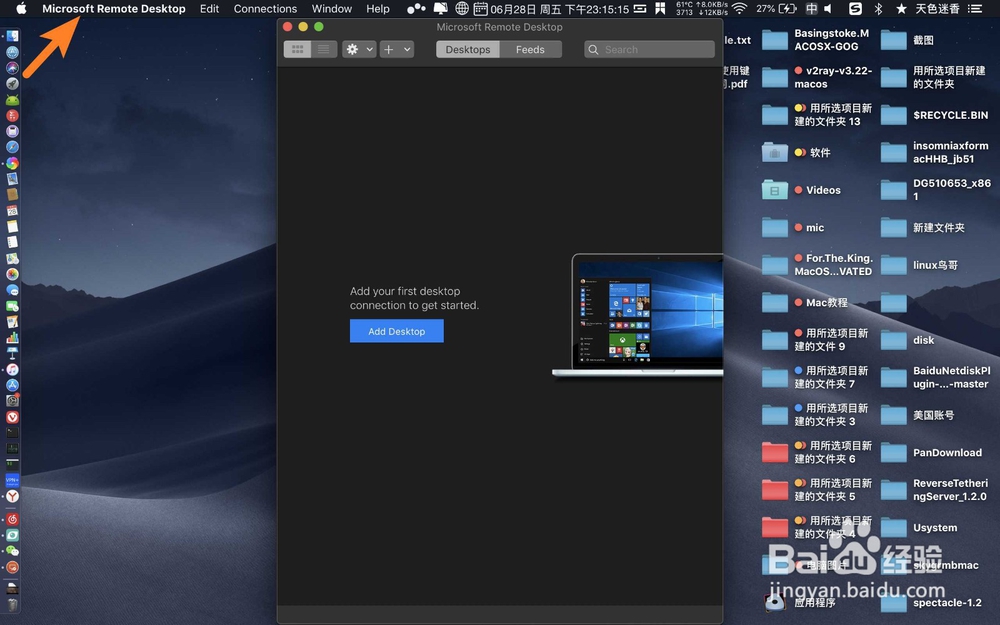
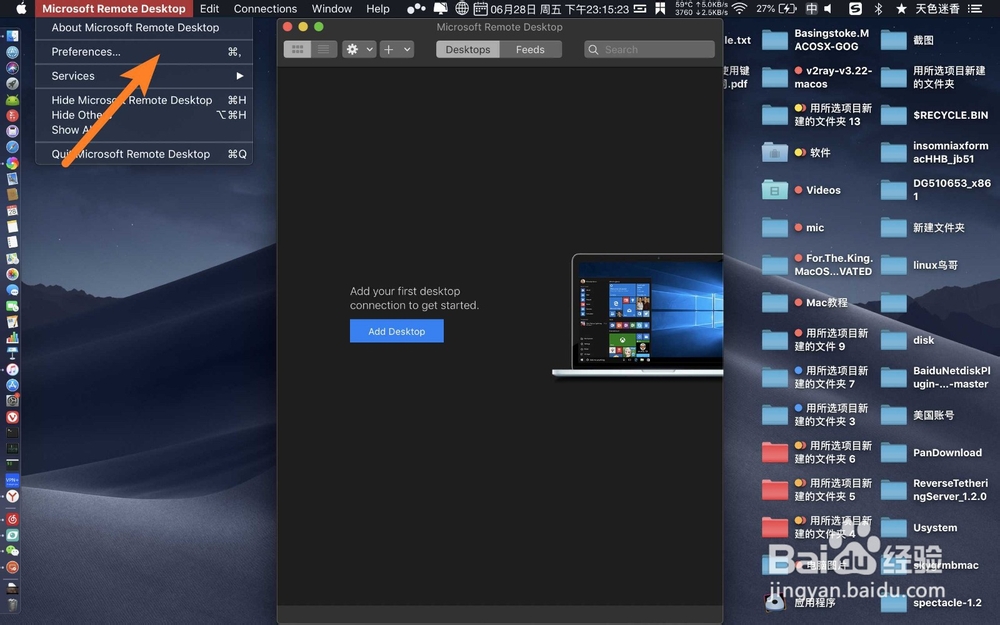
3、点击左上角Remote Desktop,点击偏好设置,如图。
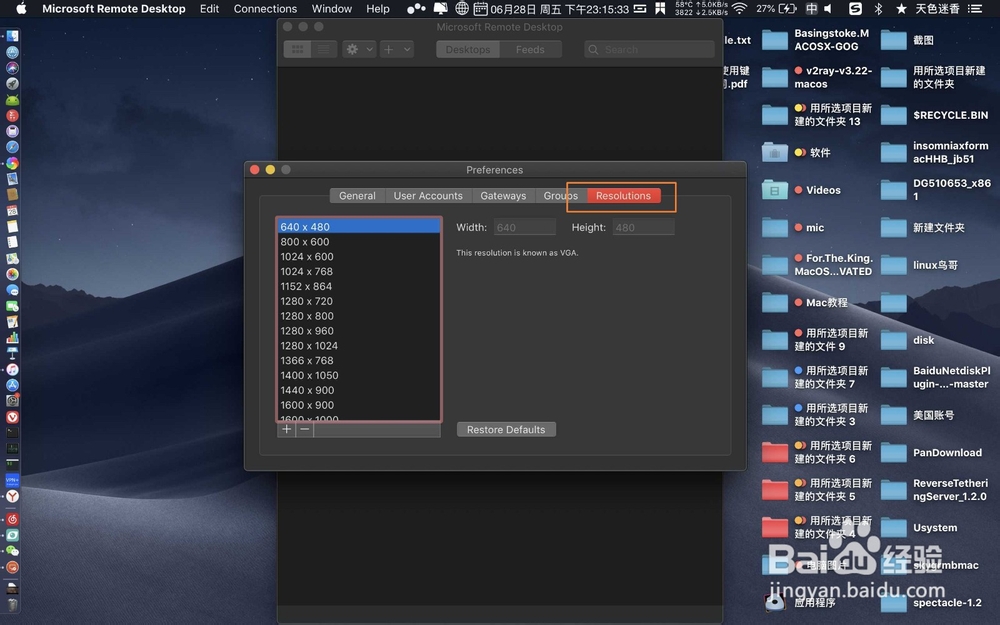
4、点击分辨率,点击左边要设置固定的分辨率,如图。

阅读量:124
阅读量:123
阅读量:143
阅读量:147
阅读量:27
1、点击文件,弹出来点击新建xx,如图。
2、点击第四项应用xx,点击Remote Desktop,如图。
3、点击左上角Remote Desktop,点击偏好设置,如图。
4、点击分辨率,点击左边要设置固定的分辨率,如图。