win10 office家庭和学生版2016 载入MathType6.9
1、在默认路径安装MathType6.9

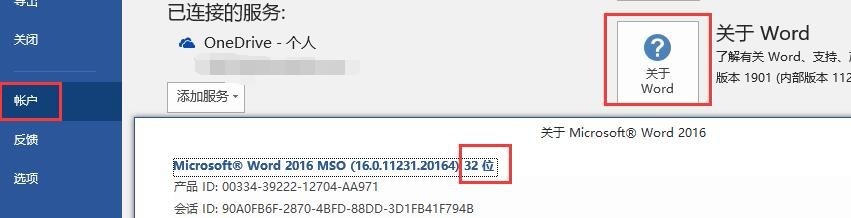
2、确定office2016安装版本:文件——账户——关于word:32位。
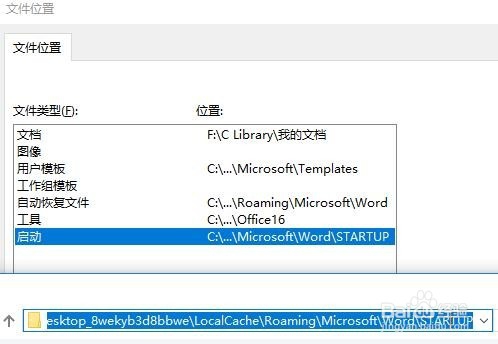
3、确认启动项路径;文件——选项——高级——常规——文件位置,双击启动:C:\Users\pc\AppData\Local\Packages\Microsoft.Office.Desktop_8wekyb3d8bbwe\LocalCache\Roaming\Microsoft\Word\STARTUP

4、将C:\Program Files (x86)\MathType\MathPage\32的MathPage.wll和C:\Program Files (x86)\MathType\Office Support\32的MathType Commands 6 For Word 2016.dotm文件拷贝到启动项目录中

5、重启office文档。

阅读量:168
阅读量:51
阅读量:136
阅读量:28
阅读量:84