WebStorm怎么设置显示提交和推送的推送对话框
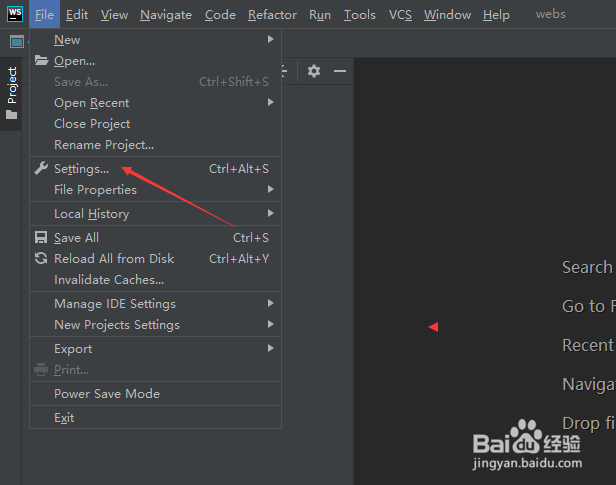
1、点击菜单中的file菜单,弹出了下拉菜单选中为settings选项
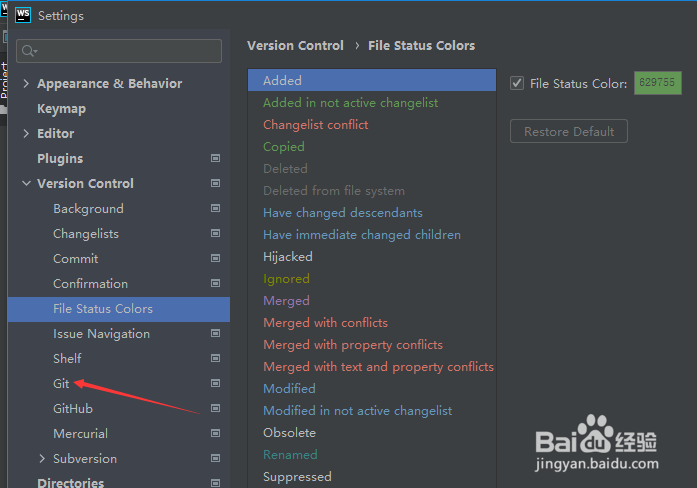
2、点击git选项
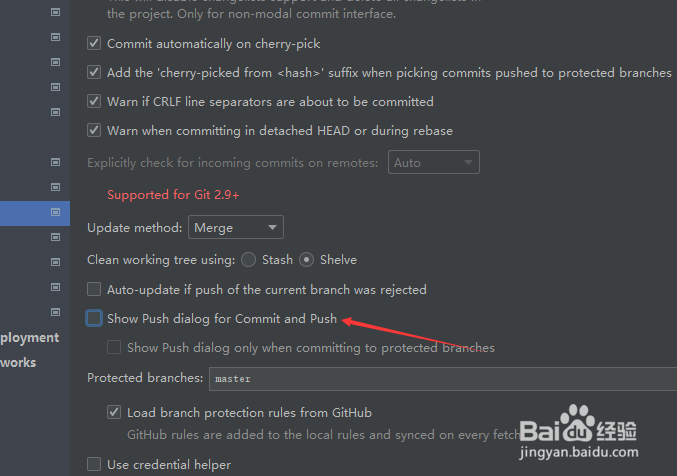
3、勾选上show push dialog for commit and push选项
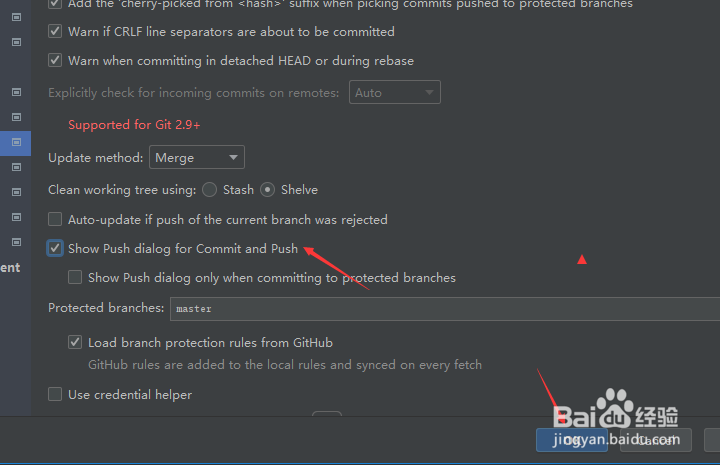
4、勾选上show push dialog for commit and push选项之后,点击ok
阅读量:56
阅读量:109
阅读量:69
阅读量:50
阅读量:169
1、点击菜单中的file菜单,弹出了下拉菜单选中为settings选项
2、点击git选项
3、勾选上show push dialog for commit and push选项
4、勾选上show push dialog for commit and push选项之后,点击ok