Centos7搭建python3虚拟环境方法
1、本机的环境为centos7.2 64位的操作系统

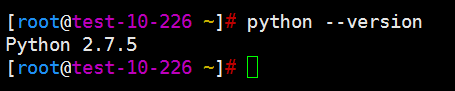
2、默认使用的操作系统为Python 2.7.5
3、将python3的安装文件Python-3.6.1.tar.xz拷贝到服务器上,并进行解压
[root@test-10-226 ~]# ll Python-3.6.1.tar.xz
-rw-r--r-- 1 root root 16872064 11月 12 15:56 Python-3.6.1.tar.xz
[root@test-10-226 ~]# xz -d Python-3.6.1.tar.xz
[root@test-10-226 ~]# tar xf Python-3.6.1.tar
[root@test-10-226 ~]# ll Python-3.6.1

4、进入到解压后的源代码目录
[root@test-10-226 ~]# cd Python-3.6.1/
[root@test-10-226 ~/Python-3.6.1]# ./configure && make && make install

5、执行下面命令,如果前面出现了py3表明python3的虚拟环境搭建成功
[root@test-10-226 ~]# cd /opt/
[root@test-10-226 /opt]# python3 -m venv py3
[root@test-10-226 /opt]# source /opt/py3/bin/activate
(py3) [root@test-10-226 /opt]#

6、用python --version命令查看python的版本,只不过这是python3的虚拟环境
每次执行之前一定要运行source /opt/py3/bin/activate命令,操作系统的真实
python 版本还是2
