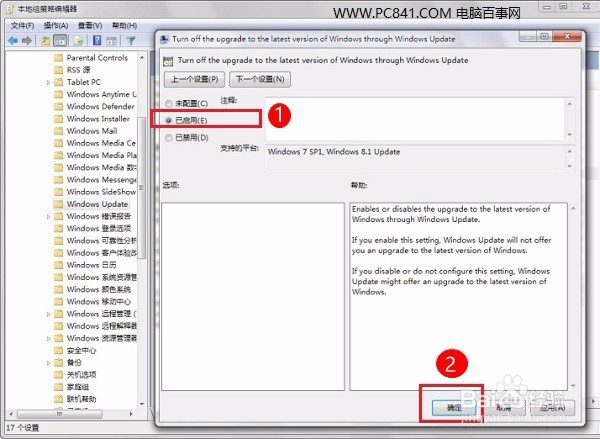
怎么关闭Win7自动升级到Win10?
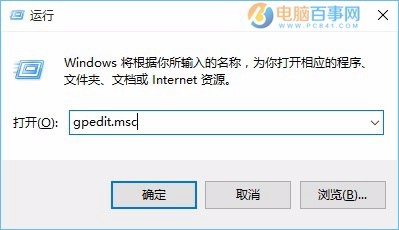
1、第一步:打开Win7电脑的“开始”-“运行”操作框,并输入“gpedit.msc”,然后点击下方的“确定”启动本地组策略编辑器,如图。
2、打开本地组策略编辑器后,依次展开 计算机配置 - 管理模板 - Windows组件 - Windows Update;
3、然后在右边列表找到“Turn off the upgrade to the latest version of Windows through Windows Update”,双击打开策略设置将其设为“已启用”,并点击底部的“确定”保存设置,如图