自在经验网
首页
美食营养
生活百科
知识问答
生活知识
返回
自在经验网
首页
美食营养
游戏数码
手工爱好
生活知识
生活百科
健康养生
运动户外
职场理财
情感交际
母婴教育
时尚美容
知识问答
更多知识
搜索
微信怎么设置消息稍后提醒
2026-04-25 09:29:40
1、在微信里面,点击好友头像进入聊天页面。
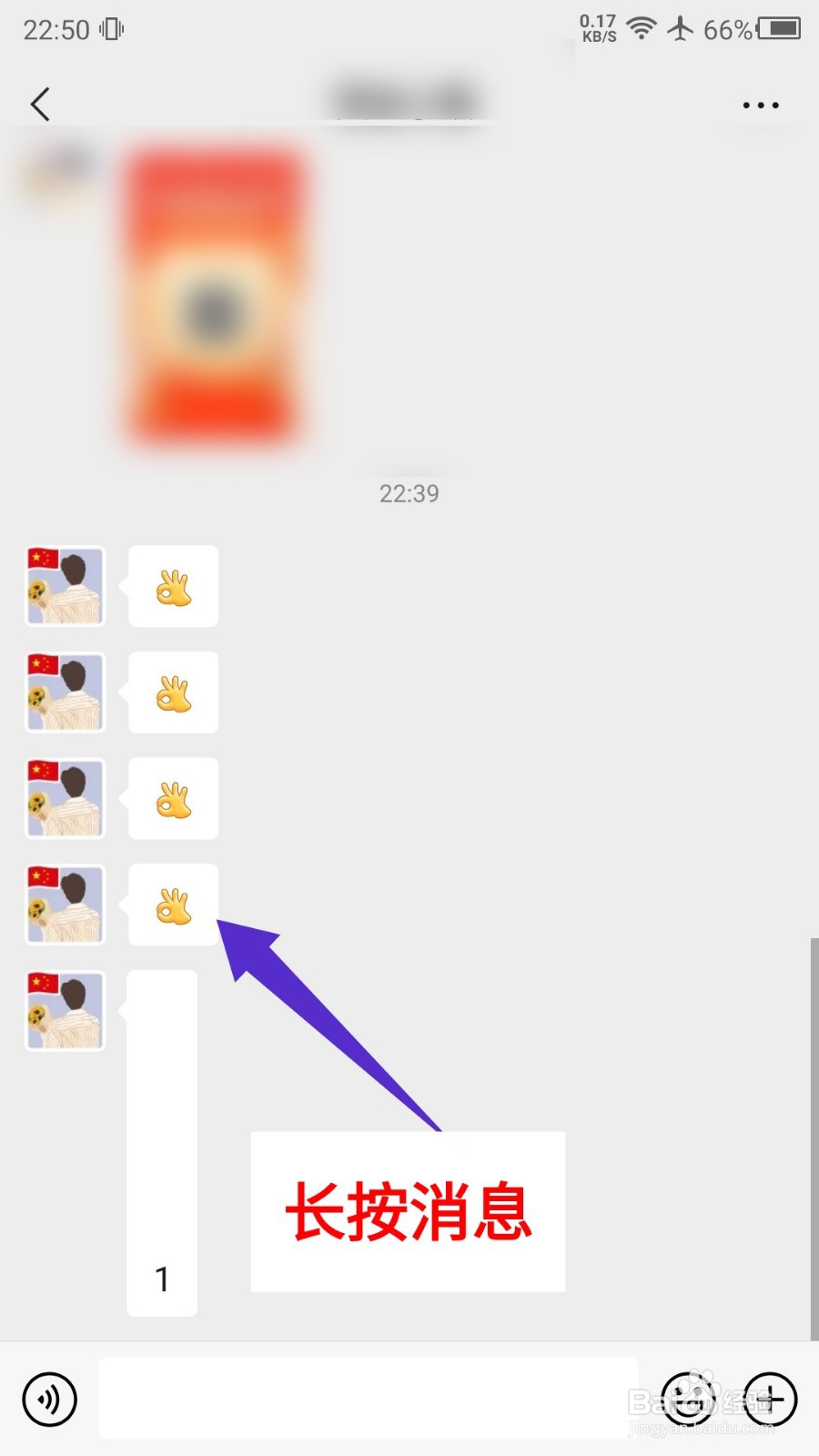
2、在聊天界面,长按要设置提醒的消息。
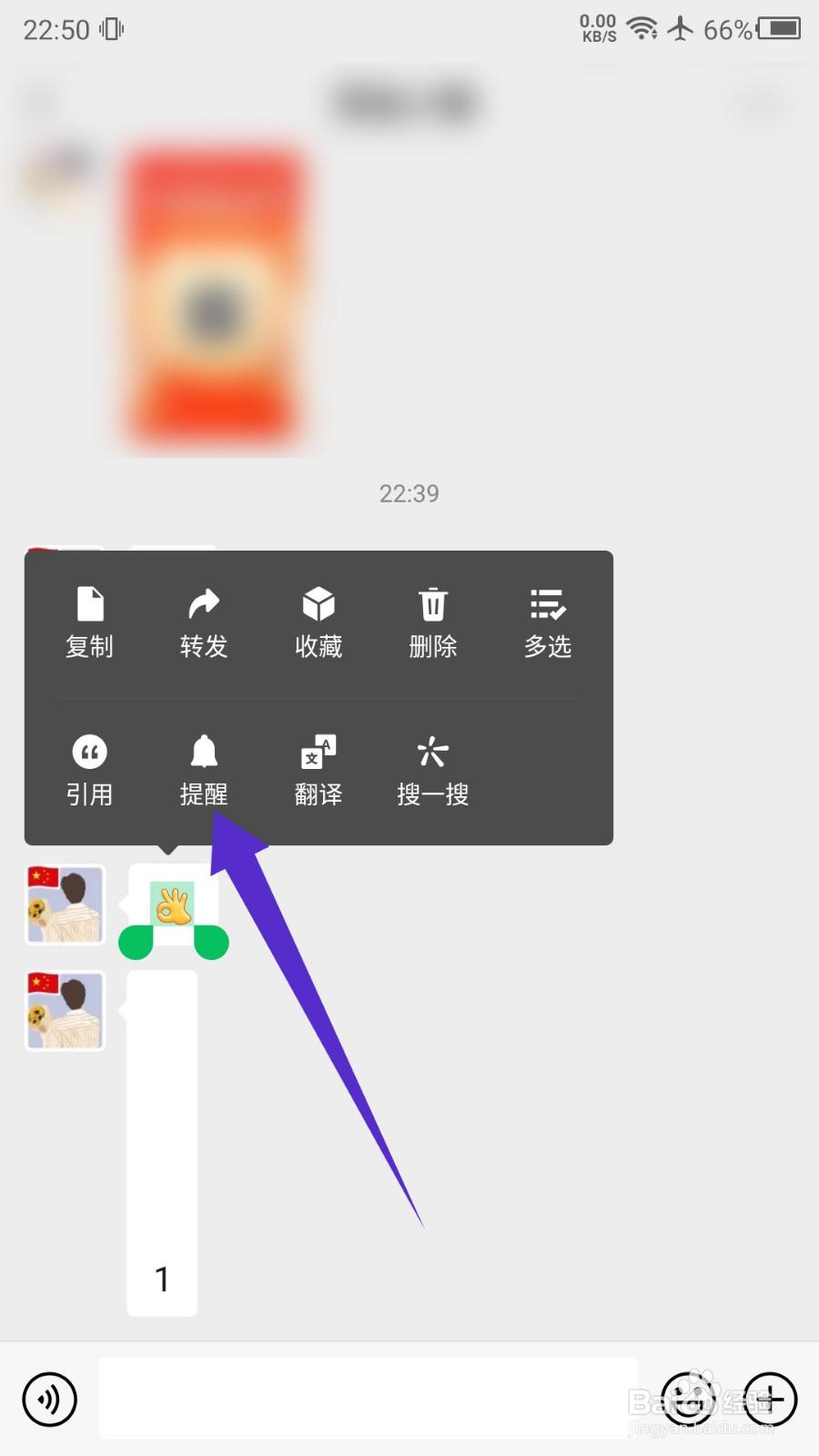
3、在弹出的选项中,点击提醒选项。
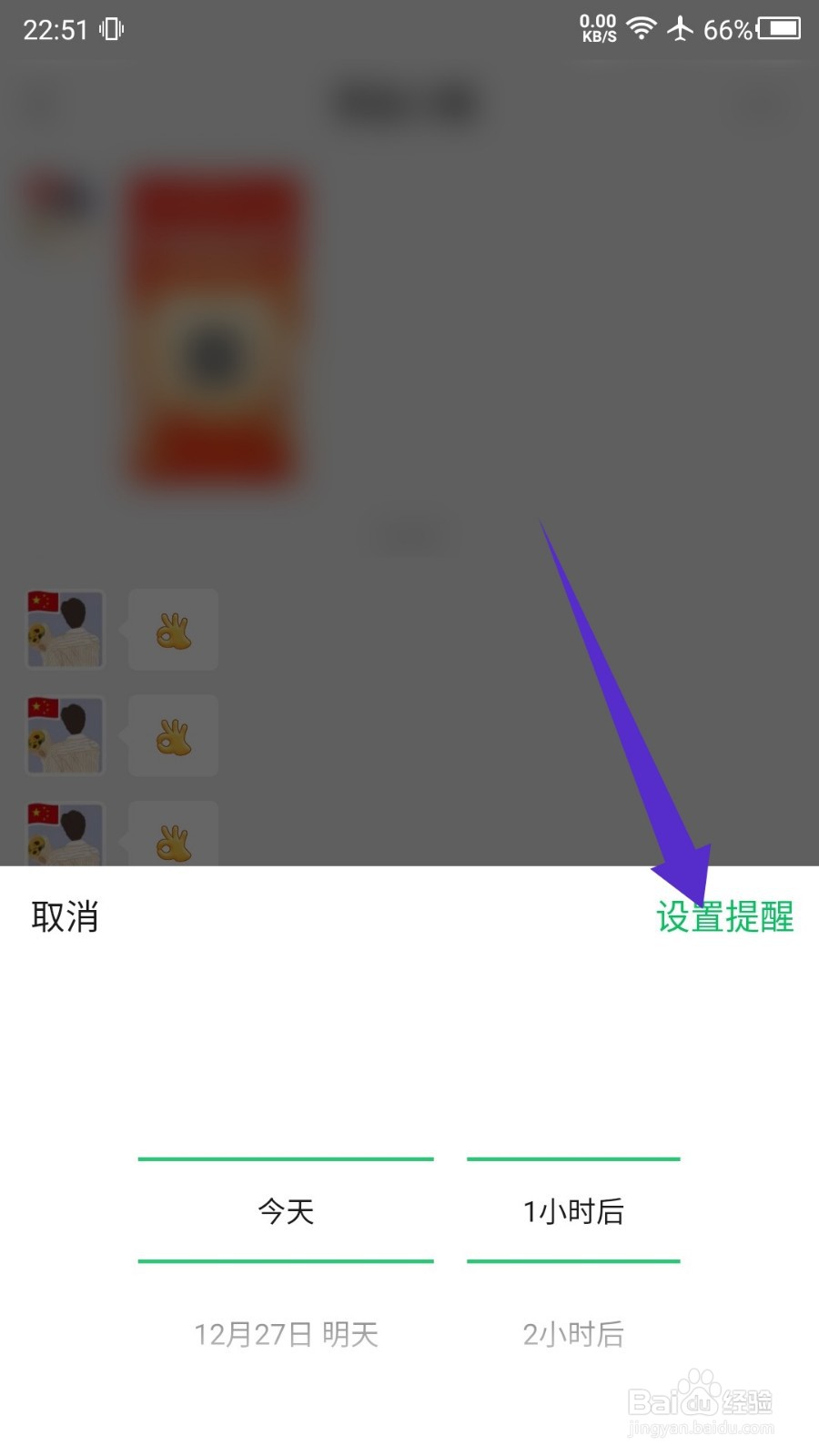
4、然后选择时间,点击设置提醒按钮。
相关推荐
苹果手机消息免打扰设置在哪里开启
阅读量:30
微信怎么设置分组
阅读量:65
微信怎么设置在某段时间内接受信息不响铃和震动
阅读量:91
微信听书如何设置音频定时关闭
阅读量:67
iPhone14Plus怎么关闭来电闪光灯
阅读量:175
猜你喜欢
泰山在哪里个城市
如何给u盘设置密码
怎样发朋友圈
如何让腿毛消失
天邪鬼绿哪里多
泰山在哪里
如何种菜
如何预防妊娠纹
酷狗音乐怎么k歌
路由器192.168.1.1
猜你喜欢
微信朋友圈访客记录怎么看
拉萨旅游注意事项
天时地利人和出自哪里
挪威旅游
tcl的电视怎么样
如何在网上开店
放鸡岛旅游攻略
qq赞怎么刷
朋友圈怎么发视频
手机设置无线路由器