PPT(PowerPoint2021)如何设置折纸幻灯片特效
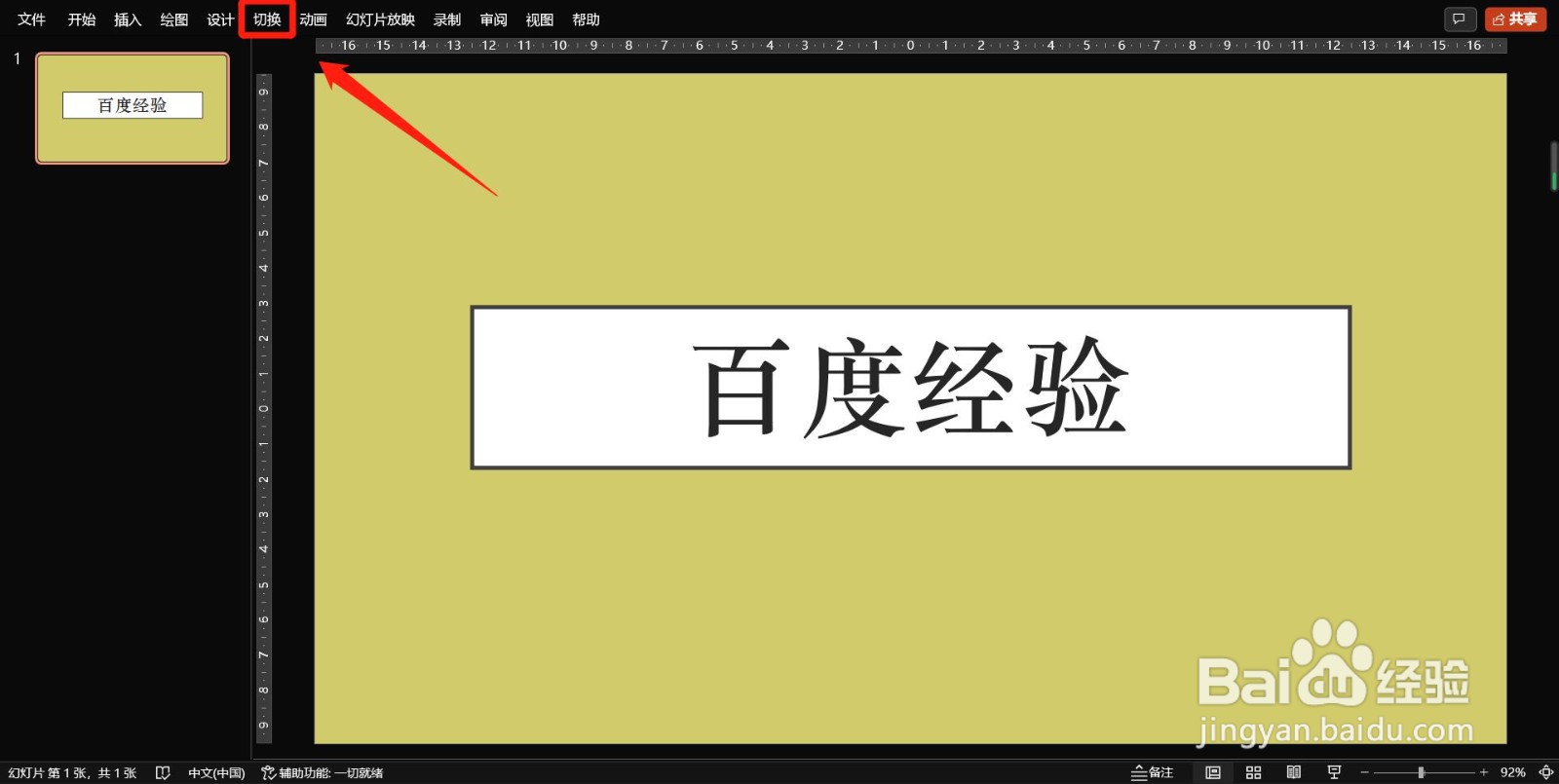
1、打开“切换”
开启菜单栏下的“切换”选项;
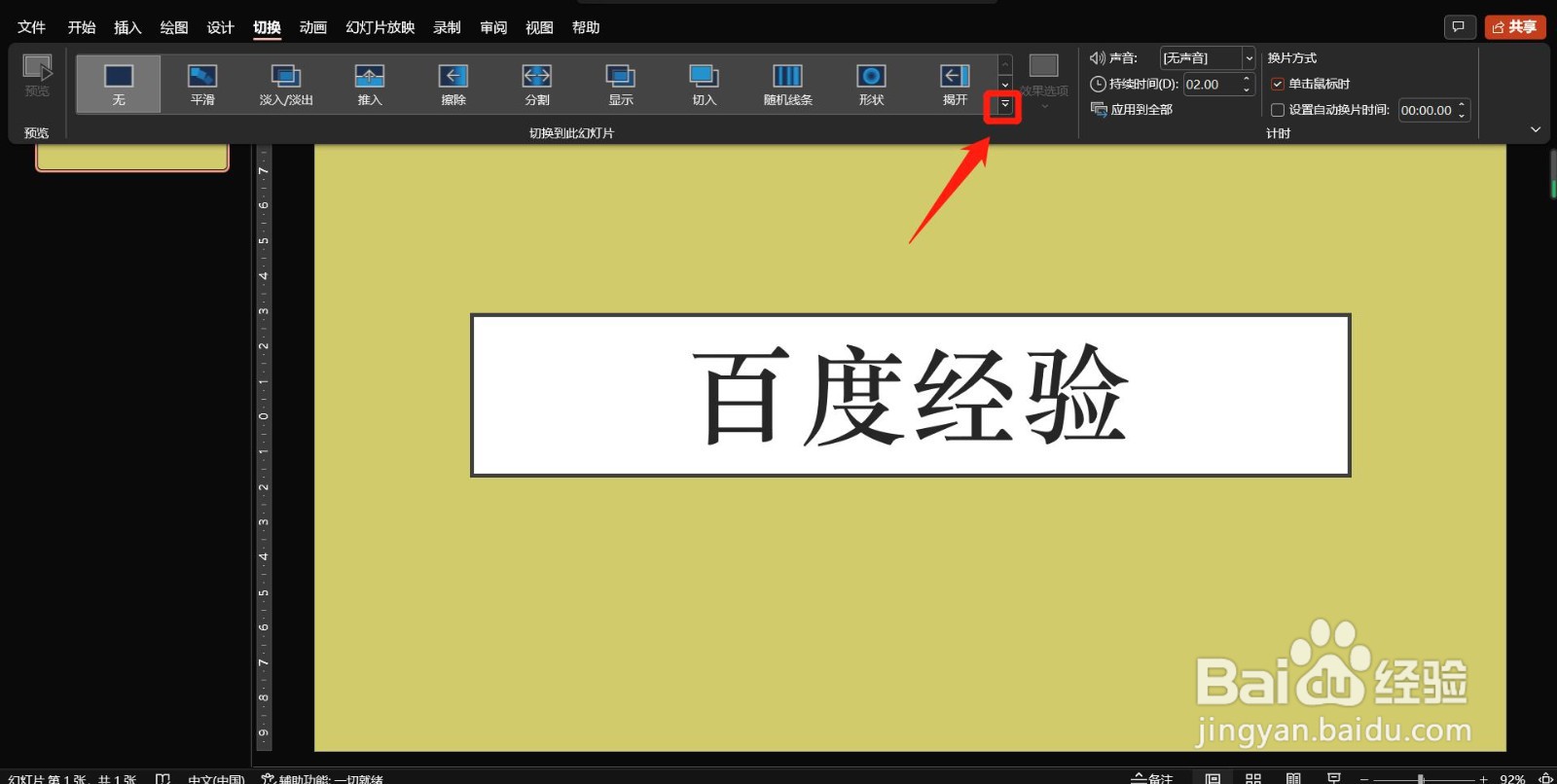
2、选择“扩展菜单”
在打开的“切换”选项中点击下拉菜单图标;
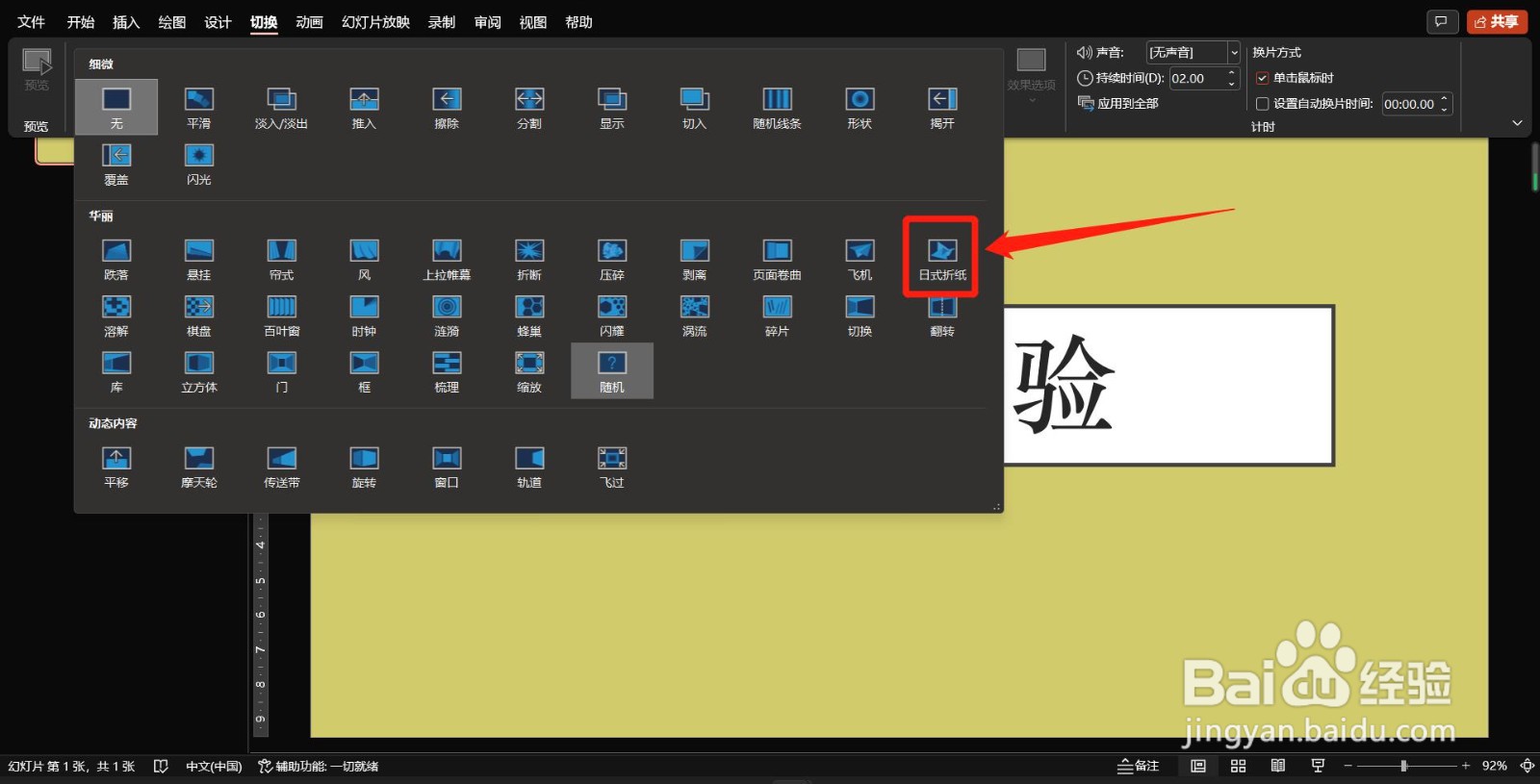
3、设置“折纸特效”
如图在打开的特效扩展菜单选择“日式折纸”即可;
阅读量:107
阅读量:166
阅读量:67
阅读量:139
阅读量:31
1、打开“切换”
开启菜单栏下的“切换”选项;
2、选择“扩展菜单”
在打开的“切换”选项中点击下拉菜单图标;
3、设置“折纸特效”
如图在打开的特效扩展菜单选择“日式折纸”即可;