Centos7.5自建yum源方法
1、安装基础软件
yum install -y make cmake gcc gcc-c++

2、安装制作yum源需要的一些软件
yum install -y pcre-devel zlib-devel openssl openssl-devel createrepo yum-utils

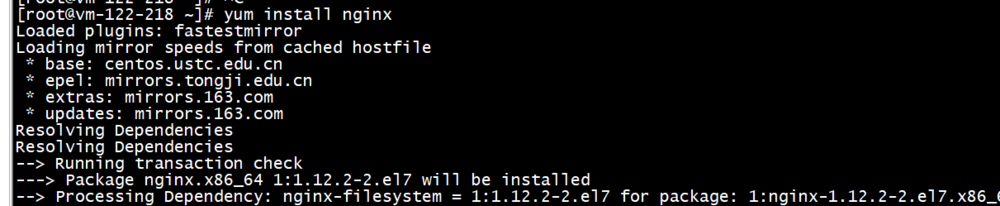
3、安装nginx
yum install nginx
4、创建索引mkdir -p /opt/yum/centos/7/os/x86_64/createrepo /opt/yum/centos/7/os/x86_64/

5、设置阿里云镜像为本地yum源
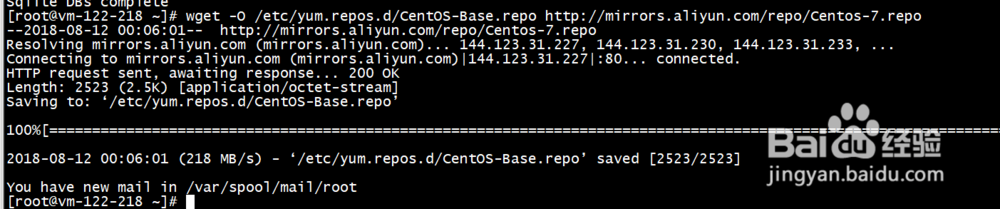
6、将阿里云中的epel源同步到本地/opt/yum/centos/7/os/中reposync -r base -p /opt/yum/centos/7/os/

7、vi /root/yum-update.sh
#!/bin/bash
datetime=`date +"%Y-%m-%d"`
exec > /var/log/centosrepo.log
reposync -d -r base -p /opt/yum/centos/7/os
if [ $? -eq 0 ];then
createrepo --update /opt/yum/centos/7/os/x86_64
#每次添加新的rpm时,必须更新索引信息
echo "SUCESS: $datetime epel update successful"
else
echo "ERROR: $datetime epel update failed"
fi
8、设置定时任务crontab -e0 2 * * 3 sh /root/yum-update.sh

9、更新索引createrepo --update /opt/yum/centos/7/os/x86_64/
10、清理缓存数据yum clean all && yum makecache
11、在测试服务器上编写repo文件vim /etc/yum.repos.d/tongbu-7.repo[feiyu]name=centos-tongbu
baseurl=http://192.168.0.27/centos/releasever/os/basearch/enabled=1gpgcheck=0
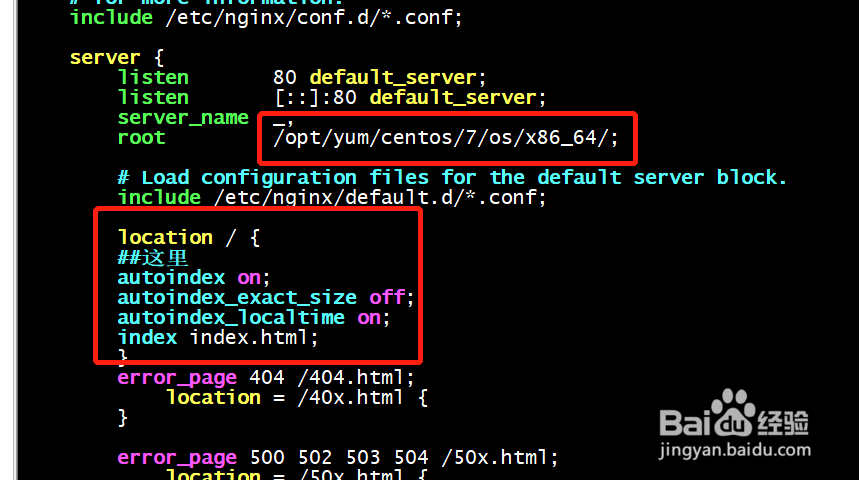
12、配置nginx