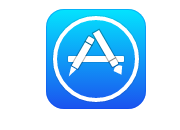
html+CSS3实现iOS7扁平化appstore图标
1、新建html文档。

2、书写hmtl代码。
<div class="wrapper">
<div class="icon appstore">
<span class="picto">
<span class="pencil"></span>
<span class="crayon"></span>
</span>
</div>
</div>
3、初始化css代码。
<style>
html, body { width : 100%; height : 100%; margin : 0; padding : 0; }
.wrapper { position : relative; width : 420px; margin : 0 auto; padding : 0; font-size : 0; }
.icon { position : relative; display : inline-block; width : 100px; height : 100px; margin : 20px; border-radius : 18px; -webkit-box-sizing : border-box; -moz-box-sizing : border-box; box-sizing : border-box; }
</style>

4、书写css代码。
.appstore { box-shadow : 0 0 0 1px rgba(6, 65, 233, 0.3) inset; background : -webkit-linear-gradient(top, #03e4fe 0%, #1b52ef 100%); background : -moz-linear-gradient(top, #03e4fe 0%, #1b52ef 100%); background : -ms-linear-gradient(top, #03e4fe 0%, #1b52ef 100%); background : -o-linear-gradient(top, #03e4fe 0%, #1b52ef 100%); background : linear-gradient(top, #03e4fe 0%, #1b52ef 100%); }
.appstore:before { position : absolute; content : ''; width : 56px; height : 6px; top : 50%; left : 50%; margin : -3px 0 0 -28px; background : #fff; border-radius : 1px; box-shadow : 0 0 0 1px rgba(0, 0, 0, 0.1); }
.appstore .picto { position : absolute; width : 78px; height : 78px; top : 50%; left : 50%; margin : -43px 0 0 -43px; border : 4px white solid; border-radius : 43px; box-shadow : 0 0 0 1px rgba(0, 0, 0, 0.1); }
.appstore .crayon { position : absolute; width : 27px; height : 7px; top : 32px; left : 11px; z-index : 2; background : #fff; box-shadow : 0 0 0 1px rgba(0, 0, 0, 0.3); -webkit-transform : rotateZ(-60deg); -moz-transform : rotateZ(-60deg); -ms-transform : rotateZ(-60deg); -o-transform : rotateZ(-60deg); transform : rotateZ(-60deg); }
.appstore .crayon:before { position : absolute; top : -7px; left : -21px; content : ''; border-width : 10px; border-style : solid; border-color : transparent white transparent transparent; -webkit-transform : scaleY(0.3); -moz-transform : scaleY(0.3); -ms-transform : scaleY(0.3); -o-transform : scaleY(0.3); transform : scaleY(0.3); }
.appstore .crayon:after { position : absolute; content : ''; width : 6px; height : 7px; top : 0; right : -7px; background : #fff; border-radius : 0 1px 1px 0; box-shadow : 0 0 0 1px rgba(0, 0, 0, 0.3); }
.appstore .pencil { position : absolute; width : 32px; height : 7px; top : 22px; right : 15px; z-index : 2; background : #fff; box-shadow : 0 0 0 1px rgba(0, 0, 0, 0.3); -webkit-transform : rotateZ(60deg); -moz-transform : rotateZ(60deg); -ms-transform : rotateZ(60deg); -o-transform : rotateZ(60deg); transform : rotateZ(60deg); }
.appstore .pencil:before { position : absolute; top : -7px; right : -28px; content : ''; border-width : 10px; border-style : solid; border-color : transparent transparent transparent white; border-radius : 14px; -webkit-transform : scaleY(0.7); -moz-transform : scaleY(0.7); -ms-transform : scaleY(0.7); -o-transform : scaleY(0.7); transform : scaleY(0.7); }
.appstore .pencil:after { position : absolute; content : ''; width : 6px; height : 7px; top : 0; right : -7px; background : #fff; border-radius : 0 1px 1px 0; box-shadow : 0 0 0 1px rgba(0, 0, 0, 0.3); }
5、代码整体结构
6、查看效果