Windows 10取消将设备设置为平板电脑模式
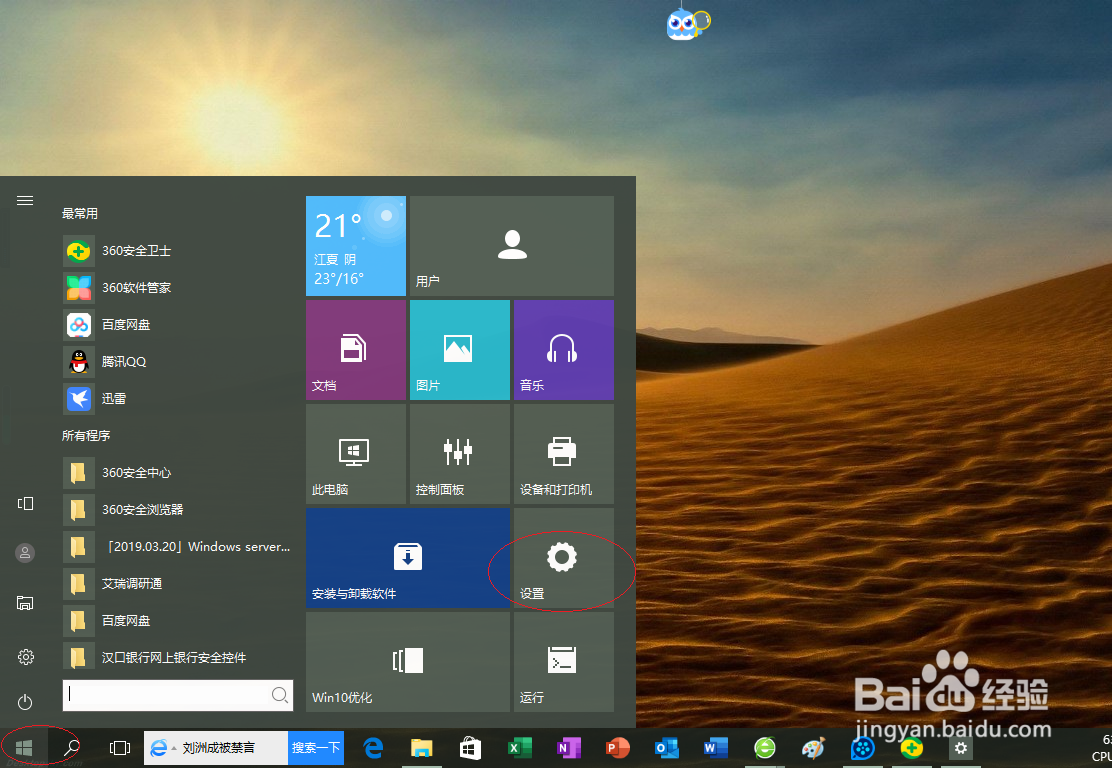
1、选择开始屏幕"设置"磁贴,如图所示
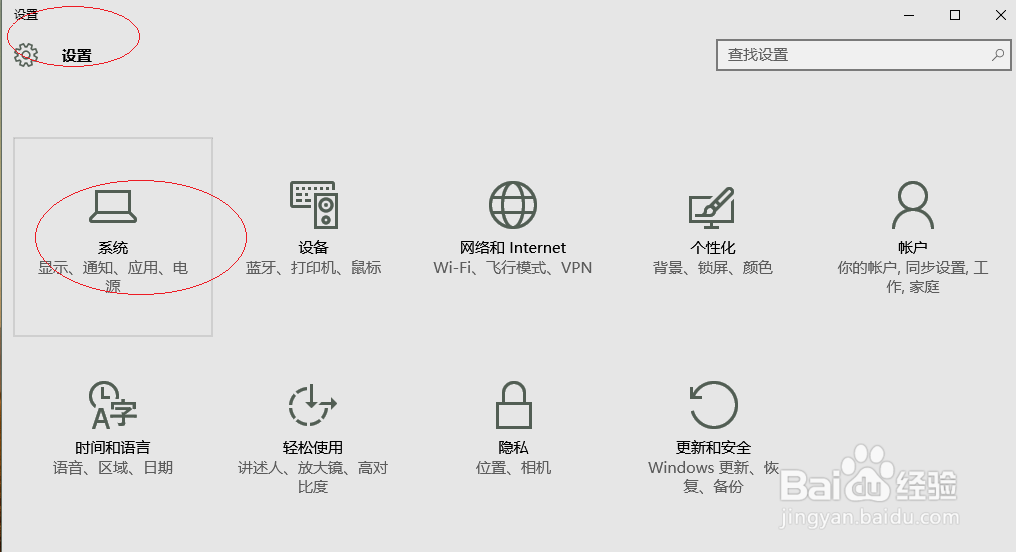
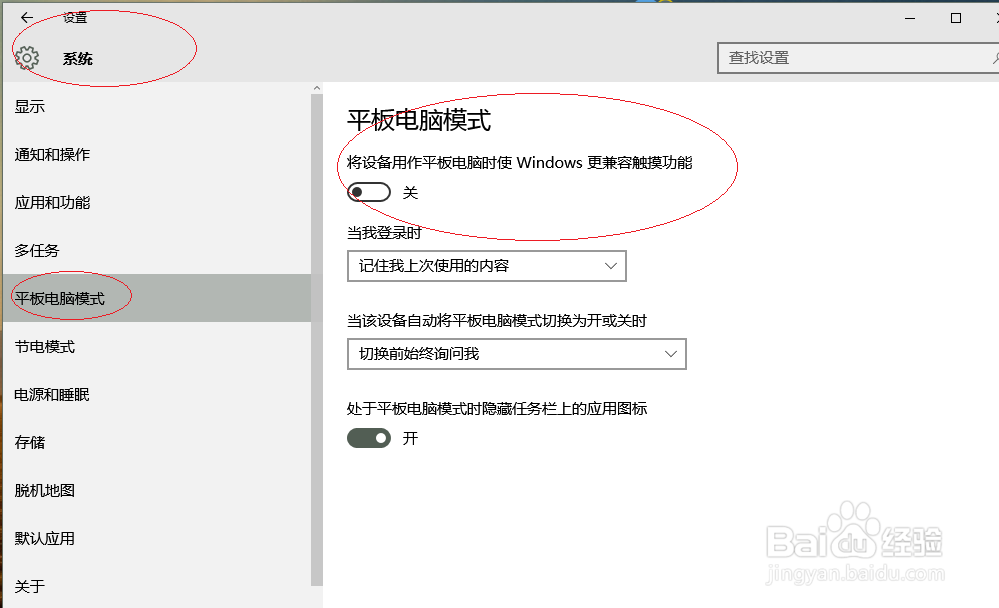
2、点击"系统"图标
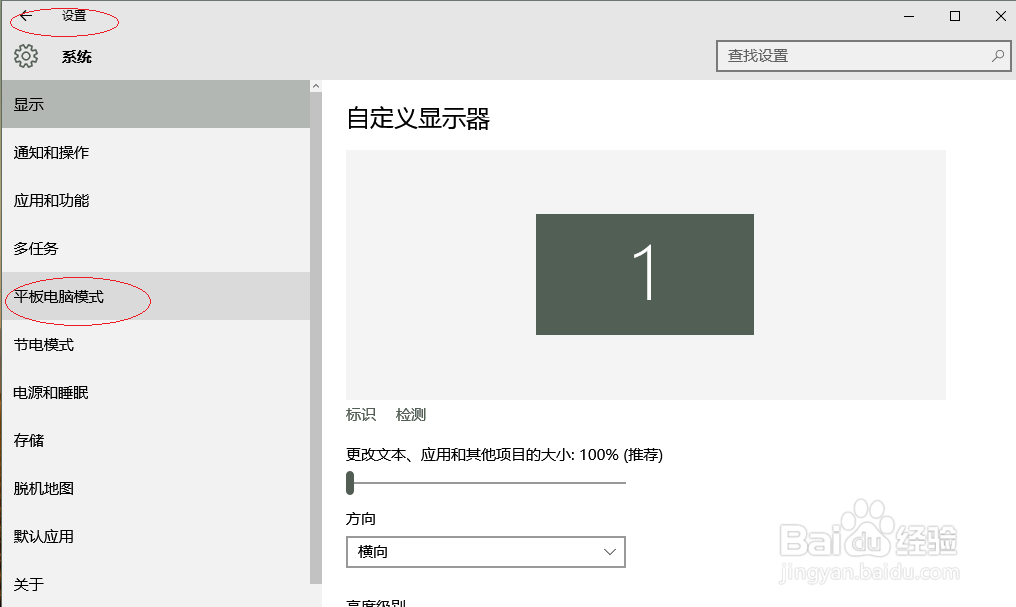
3、选择左侧"平板电脑模式"标签,如图所示
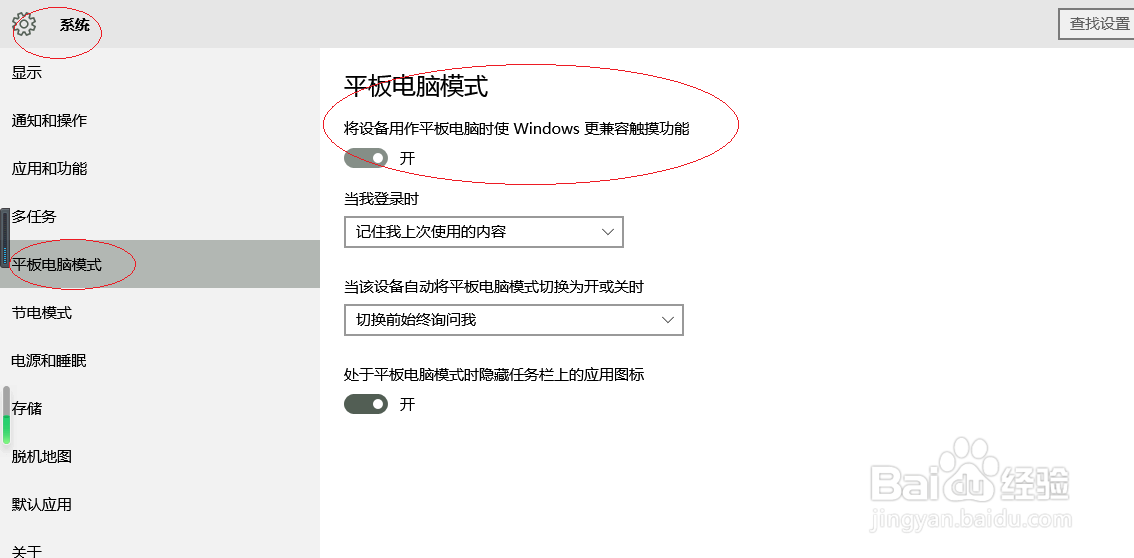
4、关闭"将设备用作平板电脑时使Windows更兼容触摸功能"控制按钮,
5、完成设置,谢谢关注
阅读量:66
阅读量:23
阅读量:112
阅读量:22
阅读量:161
1、选择开始屏幕"设置"磁贴,如图所示
2、点击"系统"图标
3、选择左侧"平板电脑模式"标签,如图所示
4、关闭"将设备用作平板电脑时使Windows更兼容触摸功能"控制按钮,
5、完成设置,谢谢关注