eclipse怎么设置字体大小
1、双击eclipse图标,点击“Window”,选择“Preferences”。

2、点击“General”,选择“Appearance”,点击“Colors and Fonts”。
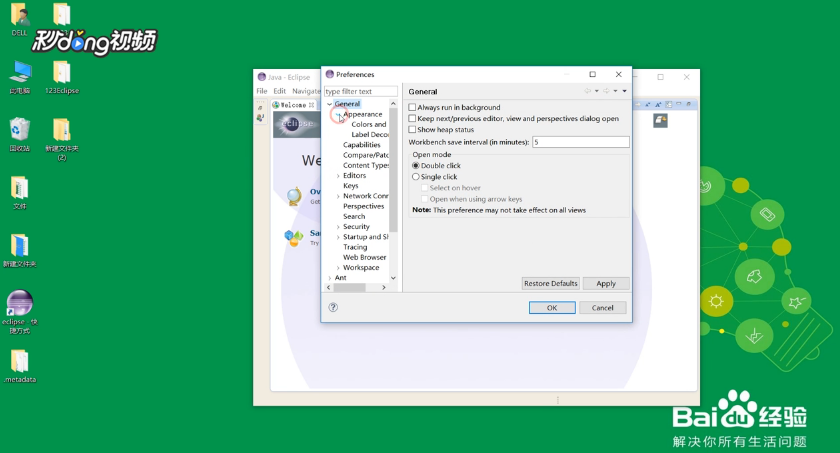
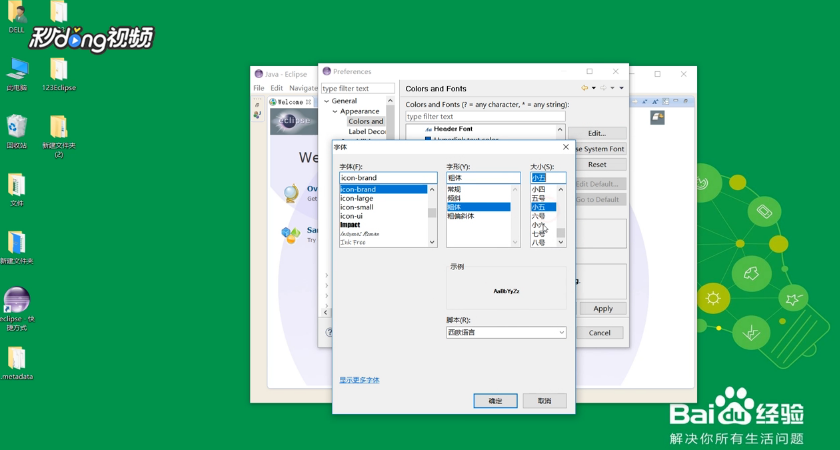
3、打开Basic,选中Text Font,在右边点击“Edit”。

4、选择需要的字体大小,点击“确定”即可。
阅读量:148
阅读量:67
阅读量:38
阅读量:145
阅读量:63
1、双击eclipse图标,点击“Window”,选择“Preferences”。
2、点击“General”,选择“Appearance”,点击“Colors and Fonts”。
3、打开Basic,选中Text Font,在右边点击“Edit”。
4、选择需要的字体大小,点击“确定”即可。