Windows 7 换背景
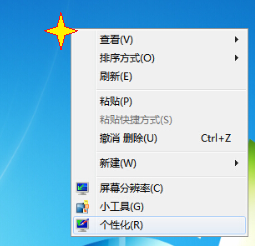
1、桌面右击空白处,弹出如下图的对话框
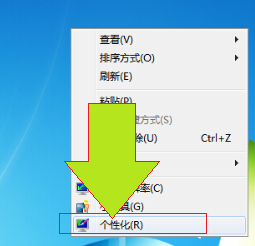
2、弹出的对话框中单击“个性化”,然后弹出一个对话框
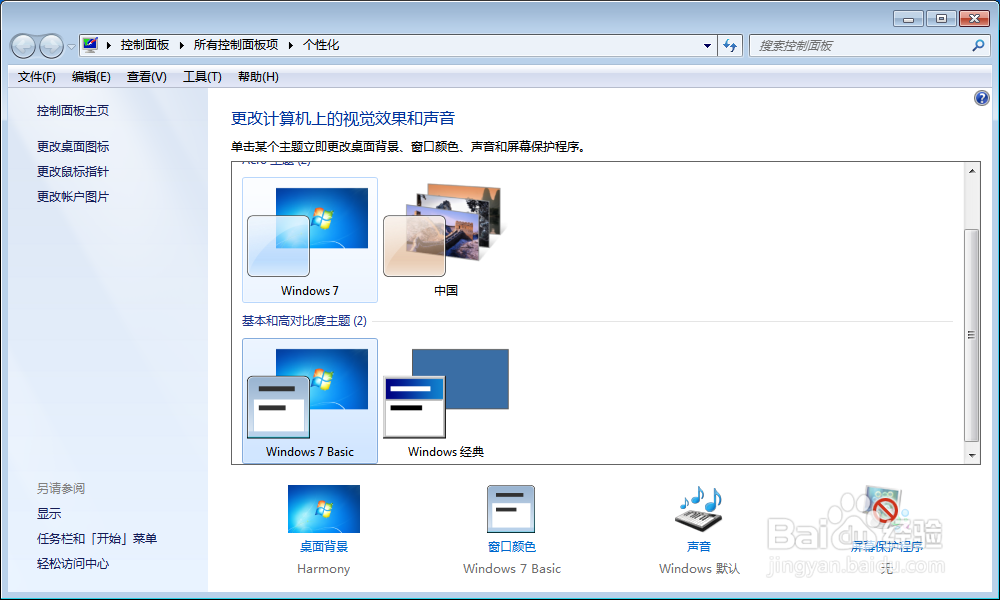
3、选择左下角“桌面背景”,然后弹出另一个对话框
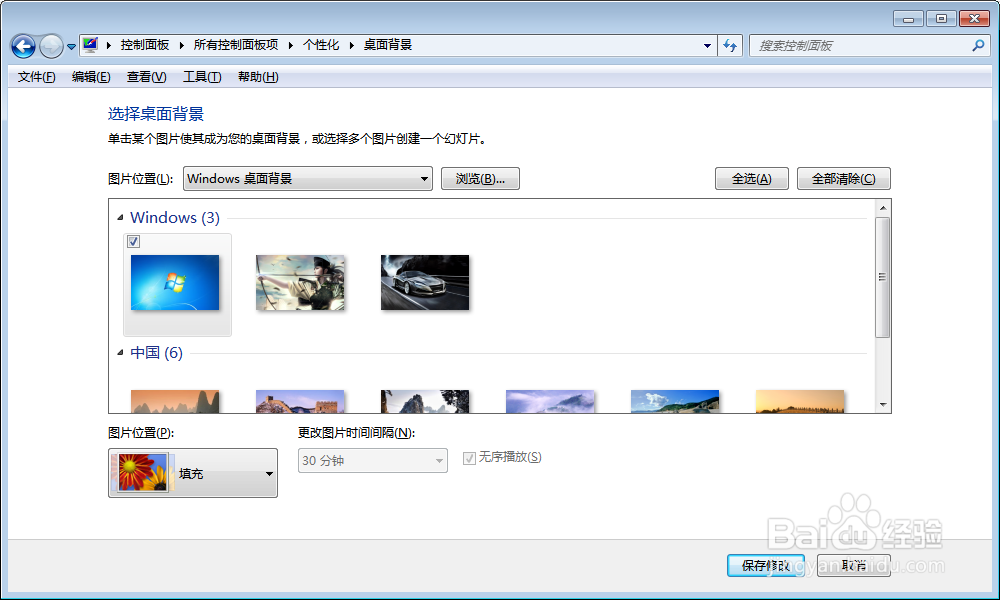
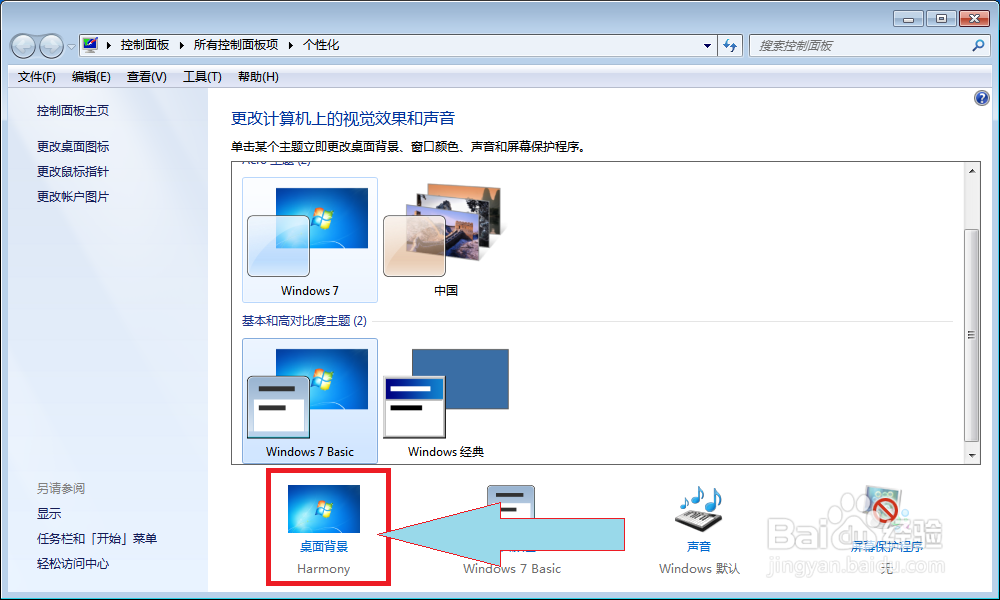
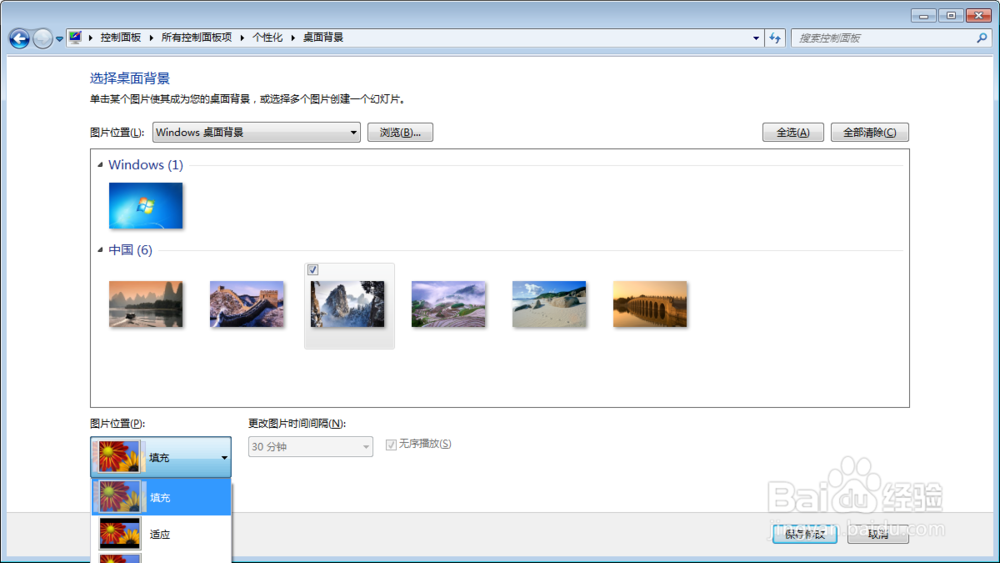
4、然后选择图片
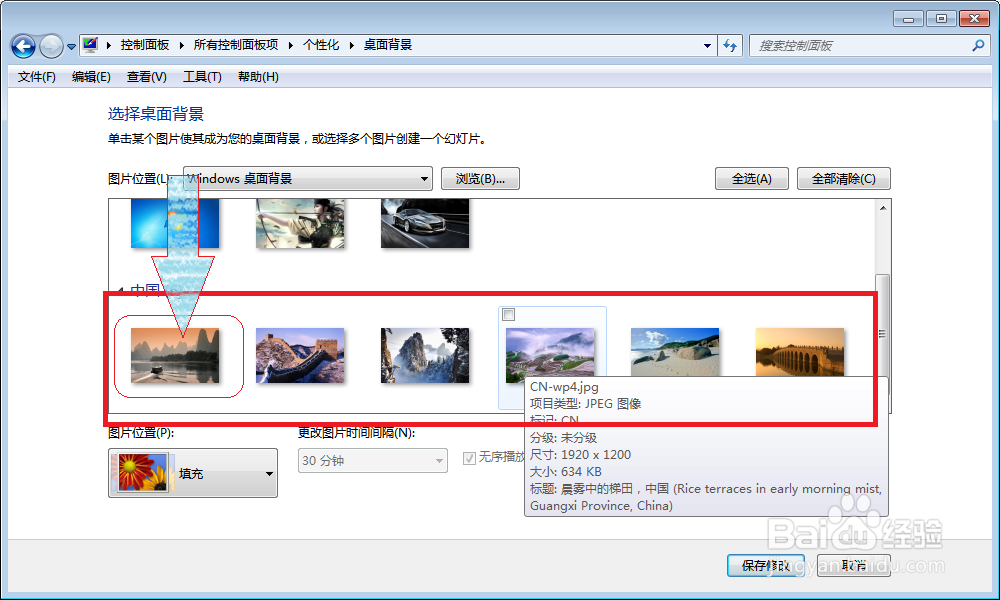
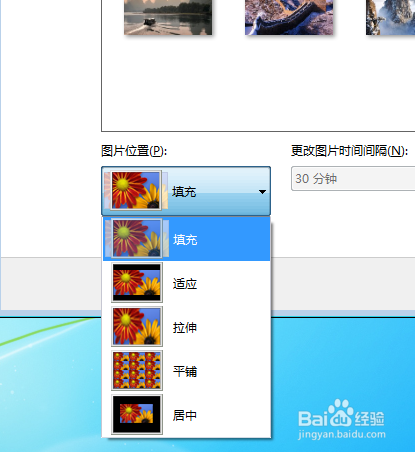
5、然后选择图片是平铺还是其他……
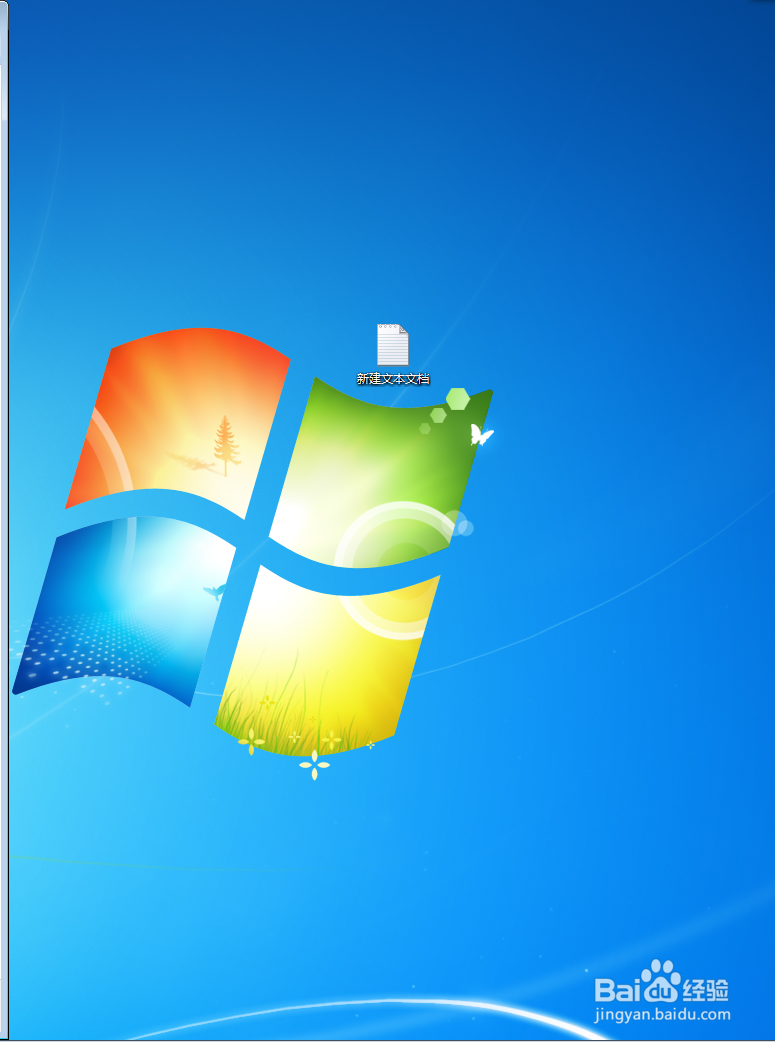
6、现在测试下………………看能成功吗!

阅读量:57
阅读量:141
阅读量:86
阅读量:58
阅读量:59
1、桌面右击空白处,弹出如下图的对话框
2、弹出的对话框中单击“个性化”,然后弹出一个对话框
3、选择左下角“桌面背景”,然后弹出另一个对话框
4、然后选择图片
5、然后选择图片是平铺还是其他……
6、现在测试下………………看能成功吗!