windows phone8.1拦截电话号码的方法
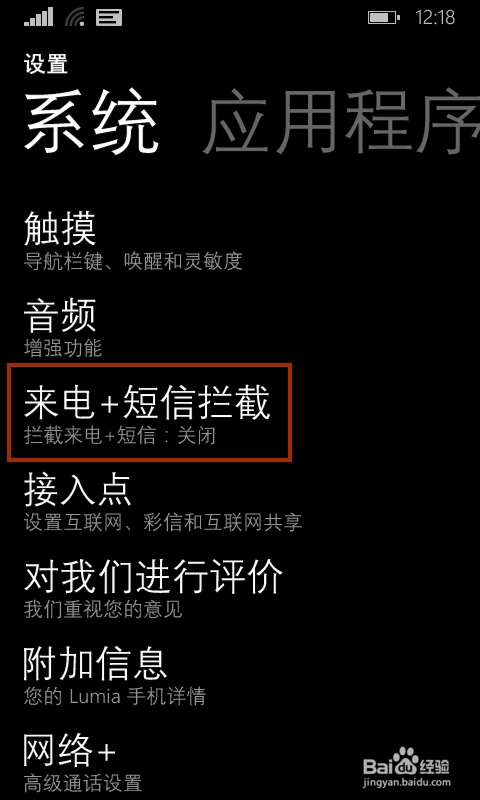
1、依次进入【设置】-【来电+短信拦截】
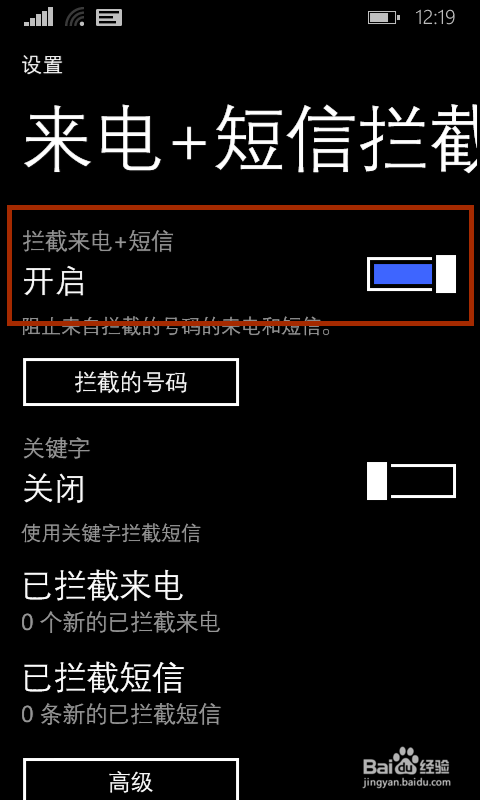
2、开启【拦截电话+短信】功能
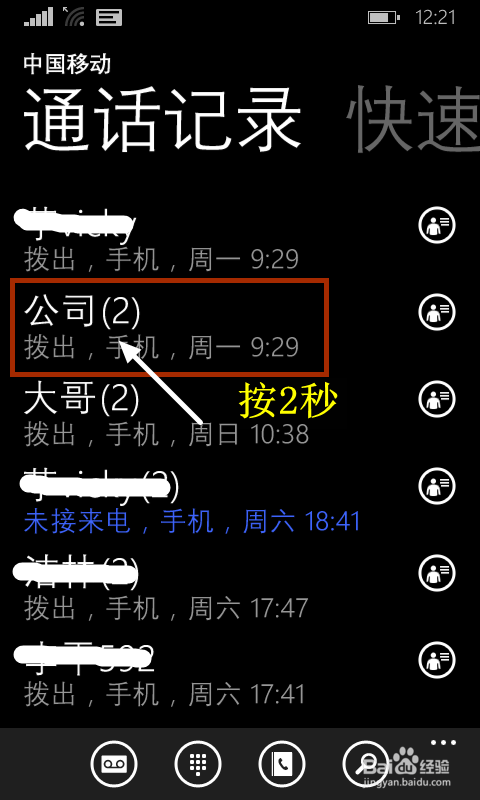
3、打开【通话记录】,选任意一电话,按2秒
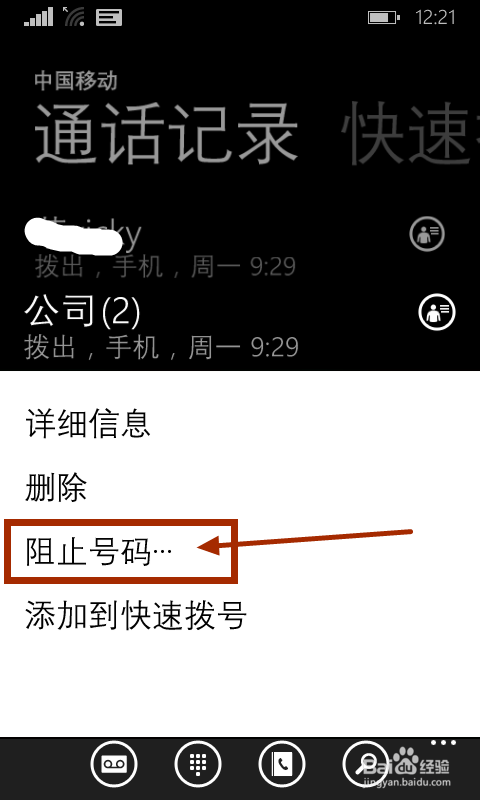
4、在出现的选项中,选择【阻止号码...】
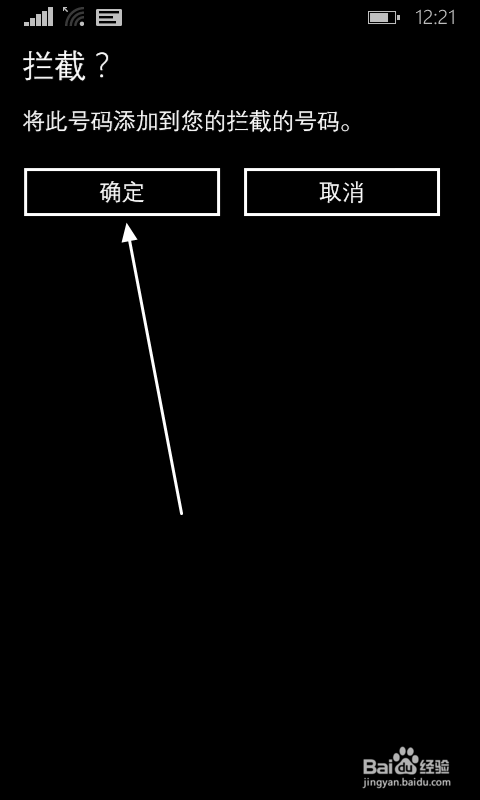
5、系统提示“是否拦截?”,按【确定】
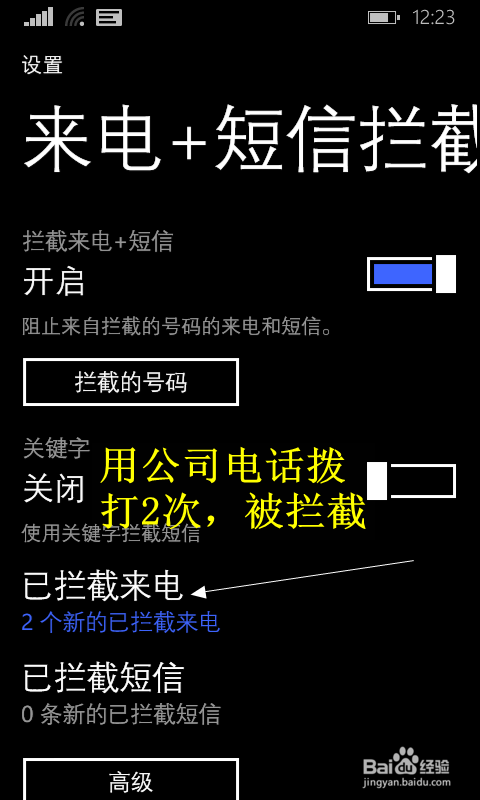
6、接着用公司电话试打两次,查看一下拦截记录,拦截成功。
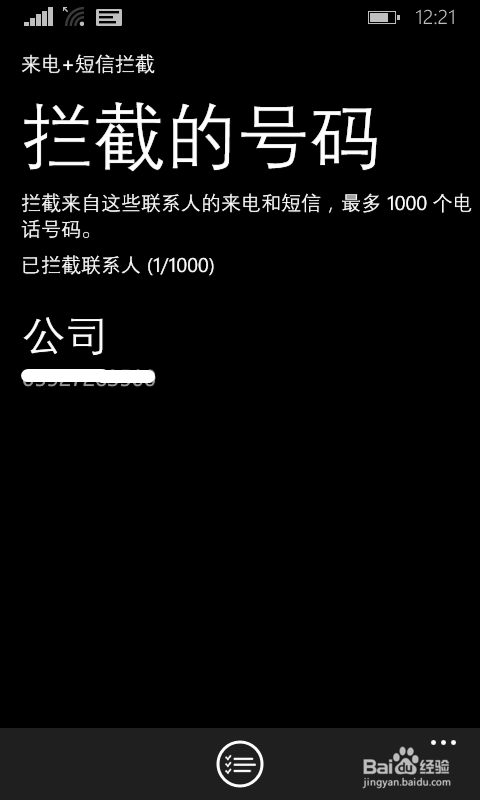
1、依次进入【设置】-【电话+短信拦截】,打开【拦截的号码】
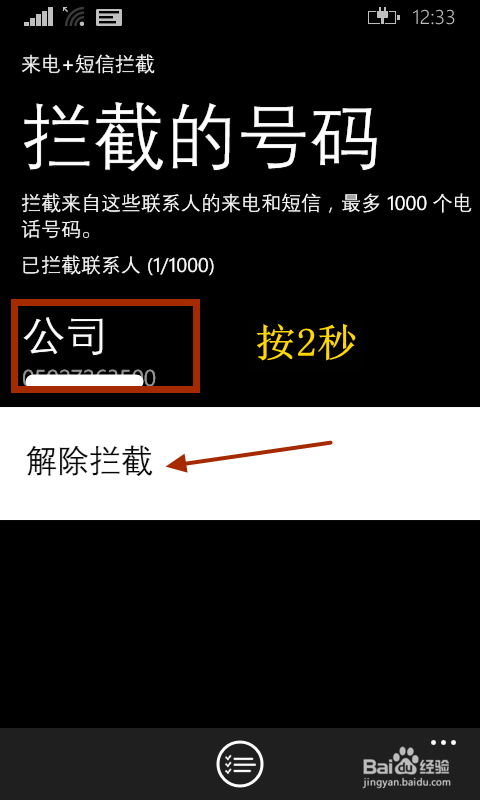
2、按2秒,选【解除拦截】
阅读量:28
阅读量:136
阅读量:68
阅读量:141
阅读量:97
1、依次进入【设置】-【来电+短信拦截】
2、开启【拦截电话+短信】功能
3、打开【通话记录】,选任意一电话,按2秒
4、在出现的选项中,选择【阻止号码...】
5、系统提示“是否拦截?”,按【确定】
6、接着用公司电话试打两次,查看一下拦截记录,拦截成功。
1、依次进入【设置】-【电话+短信拦截】,打开【拦截的号码】
2、按2秒,选【解除拦截】