ubuntu gedit 中文乱码 解决方法
1、查看文档内容,发现乱码
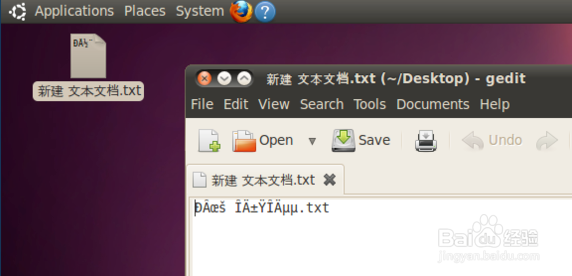
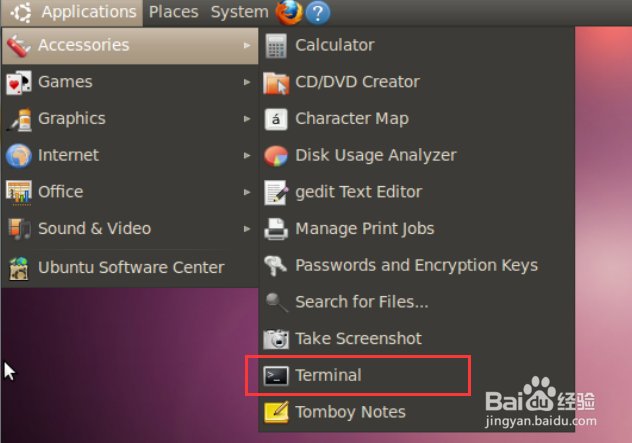
2、解决之道1:终端途径,打开终端
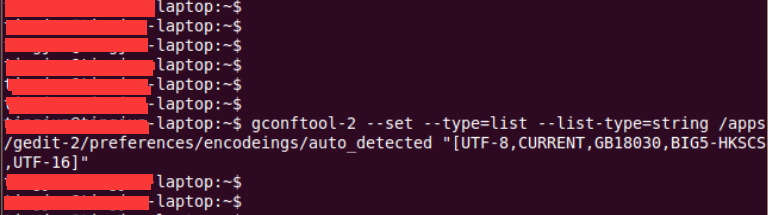
3、在终端中输入下面的内容,回车
gconftool-2 --set --type=list --list-type=string /apps/gedit-2/preferences/encodings/auto_detected "[UTF-8,CURRENT,GB18030,BIG5-HKSCS,UTF-16]"
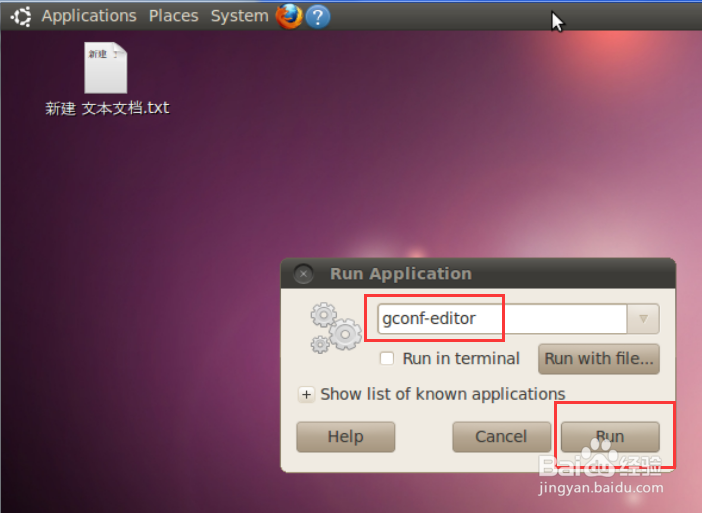
4、解决之道2:图形界面途径,同时按住 Alt-F2,打开“Run Application”窗口
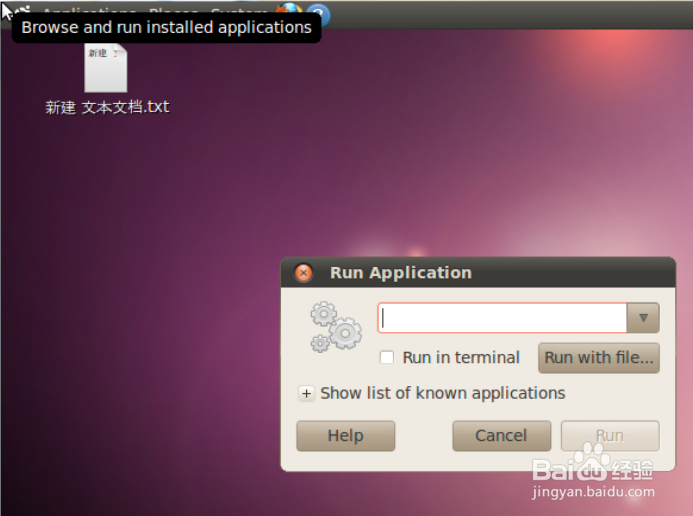
5、输入"gconf-editor",点击“Run“,进入Configuration Editor界面
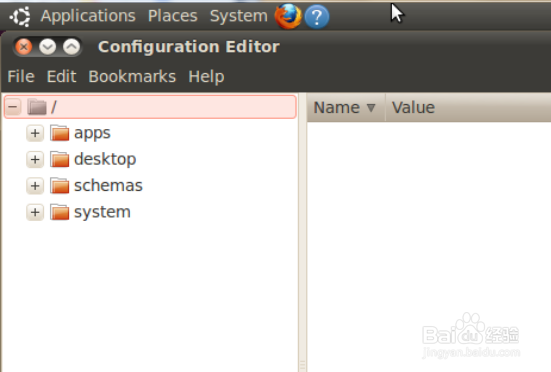
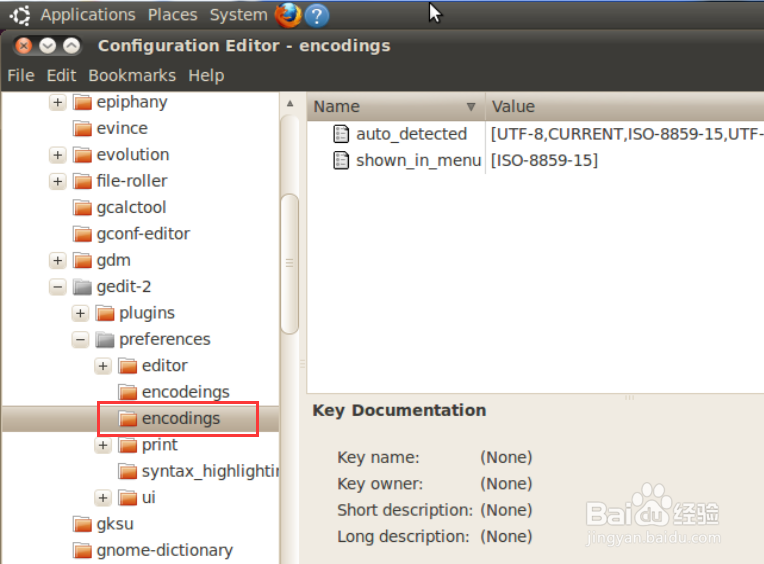
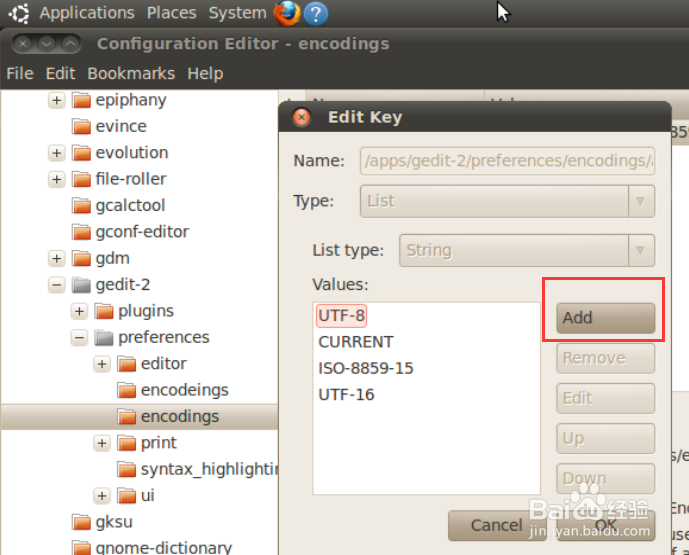
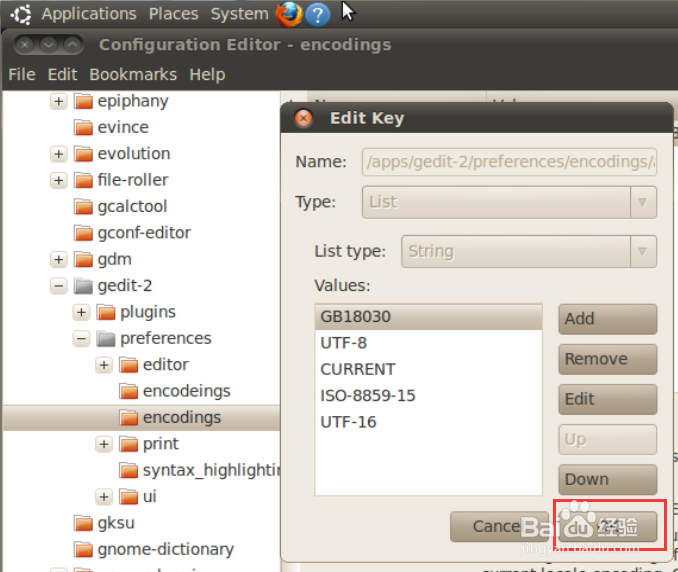
6、点击左边的”+“号找到 /apps/gedit-2/preferences/encodings,并单击
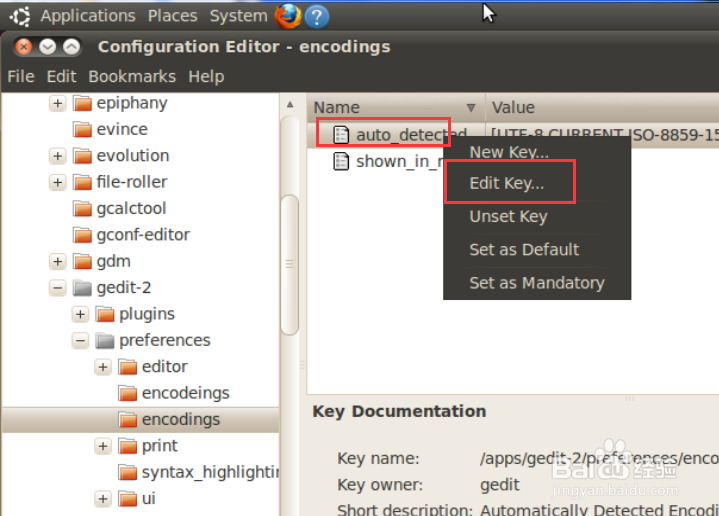
7、右键auto_detected,点击“Edit Key”
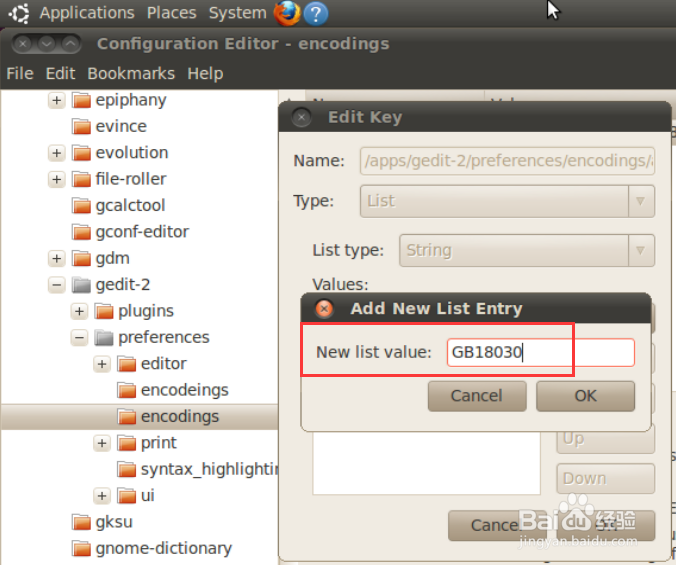
8、点击“Add”,在New list value处输入"GB18030",点击OK
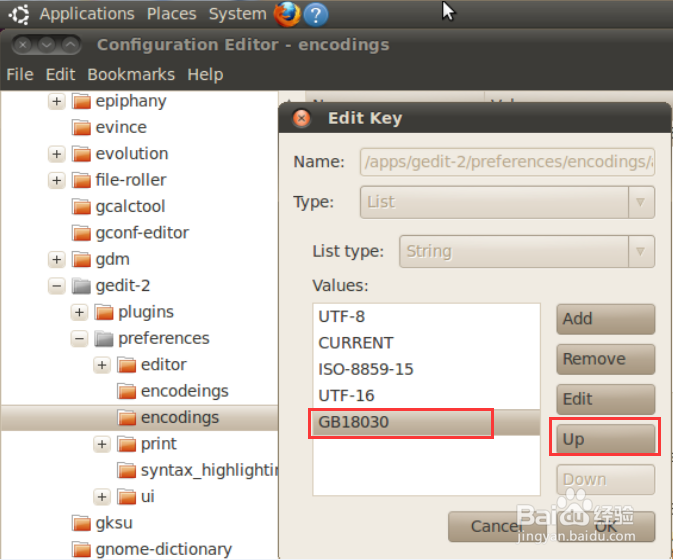
9、选中列表最下面的“GB18030”,点击右边的“Up”,直到“GB18030”移动到列表的最上方
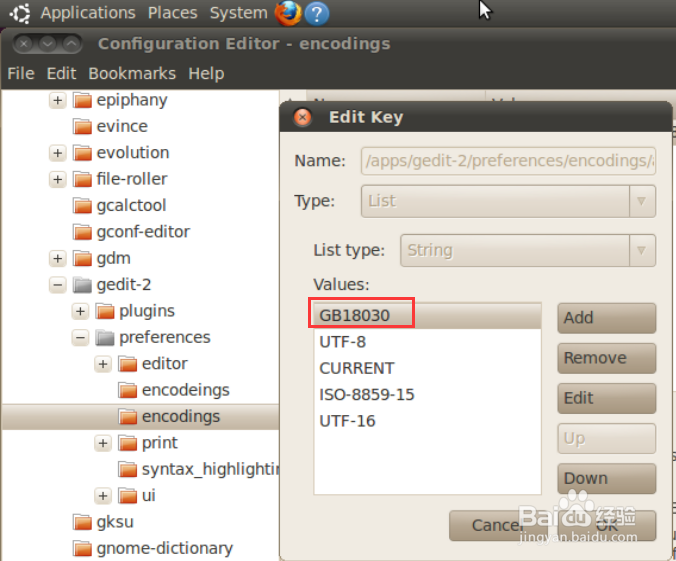
10、点击OK关闭Configuration Editor
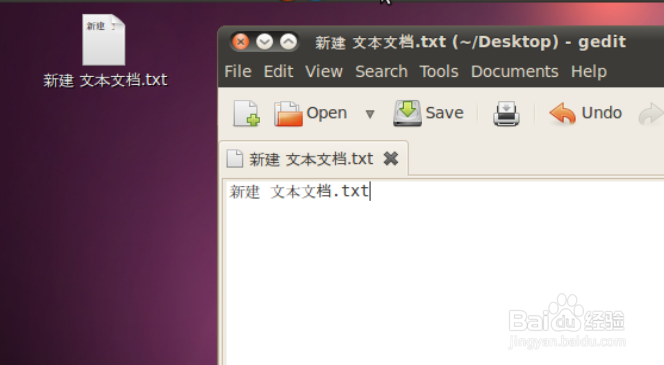
11、再次查看文档内容,乱码消失
阅读量:166
阅读量:85
阅读量:21
阅读量:45
阅读量:110