新浪微博怎么发起群聊

2026-04-22 19:31:20

1、进入自己的微博,然后选择消息这里。

新浪微博怎么发起群聊

2、在消息右上角选择发起聊天。

新浪微博怎么发起群聊

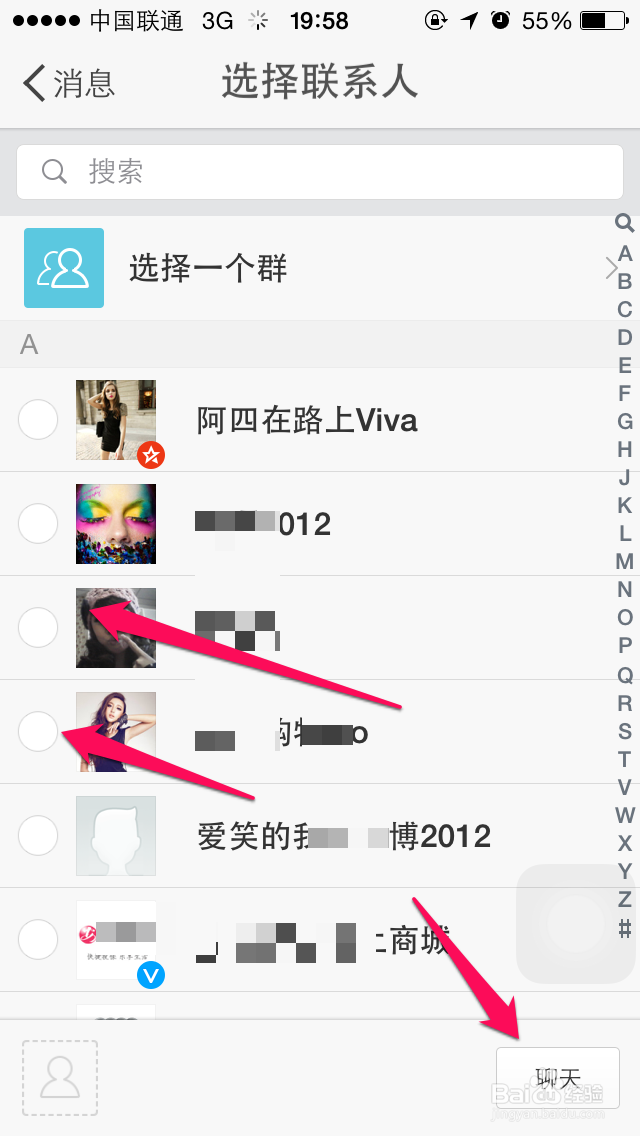
3、选择下面自己的粉丝或者是关注的人。

新浪微博怎么发起群聊

4、选择好之后,点击聊天,创建群。

新浪微博怎么发起群聊

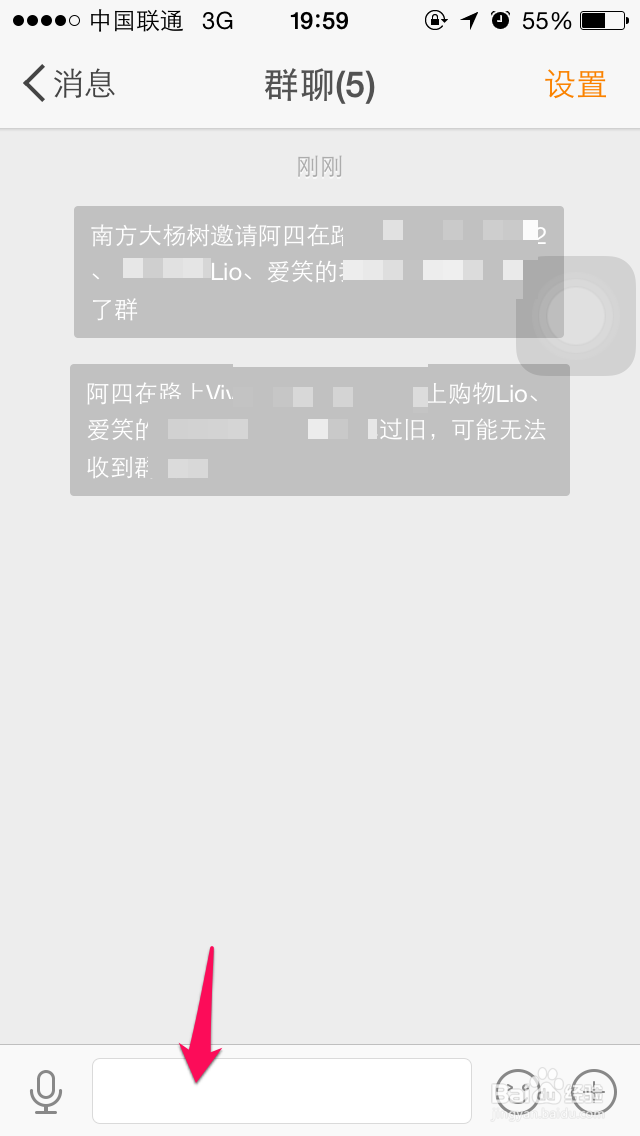
5、完成群的创建,就可以输入内容进行和好友一起聊天啦,和微信的群聊天差不多。

新浪微博怎么发起群聊

相关推荐
  • 阅读量:107
  • 阅读量:173
  • 阅读量:177
  • 阅读量:137
  • 阅读量:113
  • 猜你喜欢