html+CSS3实现iOS7扁平化messages图标
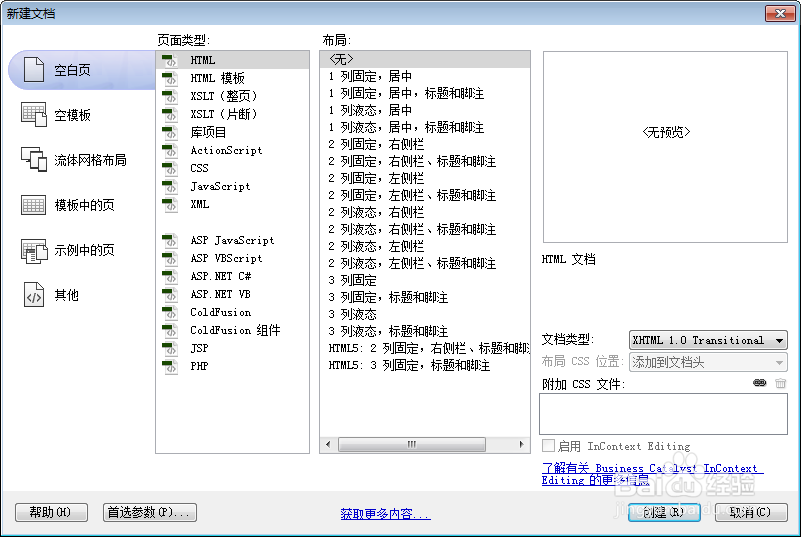
2、书写hmtl代码。
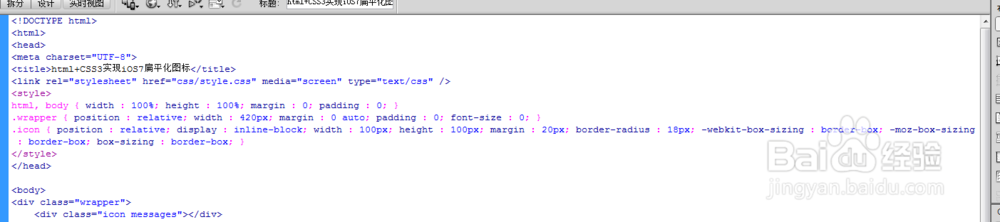
<div class="wrapper">
<div class="icon messages"></div>

3、初始化css代码。
<style>
html, body { width : 100%; height : 100%; margin : 0; padding : 0; }
.wrapper { position : relative; width : 420px; margin : 0 auto; padding : 0; font-size : 0; }
.icon { position : relative; display : inline-block; width : 100px; height : 100px; margin : 20px; border-radius : 18px; -webkit-box-sizing : border-box; -moz-box-sizing : border-box; box-sizing : border-box; }

4、书写css代码。
.messages { background : -webkit-linear-gradient(top, #86ff65 0%, #06d315 100%); background : -moz-linear-gradient(top, #86ff65 0%, #06d315 100%); background : -ms-linear-gradient(top, #86ff65 0%, #06d315 100%); background : -o-linear-gradient(top, #86ff65 0%, #06d315 100%); background : linear-gradient(top, #86ff65 0%, #06d315 100%); }
.messages:before { position : absolute; content : ''; width : 74px; height : 74px; top : 50%; left : 50%; margin : -37px 0 0 -37px; background : #fff; border-radius : 37px; box-shadow : 0 0 0 1px rgba(0, 0, 0, 0.1); -webkit-transform : scaleY(0.81); -moz-transform : scaleY(0.81); -ms-transform : scaleY(0.81); -o-transform : scaleY(0.81); transform : scaleY(0.81); }
.messages:after { position : absolute; content : ''; bottom : 8px; left : 16px; border-width : 8px; border-style : solid; border-color : white transparent transparent transparent; -webkit-transform : rotateZ(35deg) scaleX(0.5) scaleY(1.6); -moz-transform : rotateZ(35deg) scaleX(0.5) scaleY(1.6); -ms-transform : rotateZ(35deg) scaleX(0.5) scaleY(1.6); -o-transform : rotateZ(35deg) scaleX(0.5) scaleY(1.6); transform : rotateZ(35deg) scaleX(0.5) scaleY(1.6); }