如何完全禁止win10自动更新(自动升级)
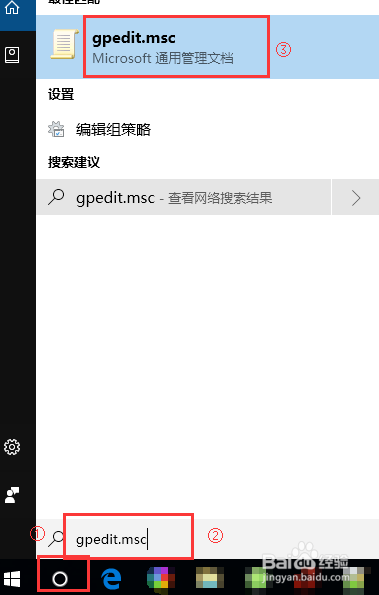
1、在cortana中输入gpedit.msc ,打开通用管理文档
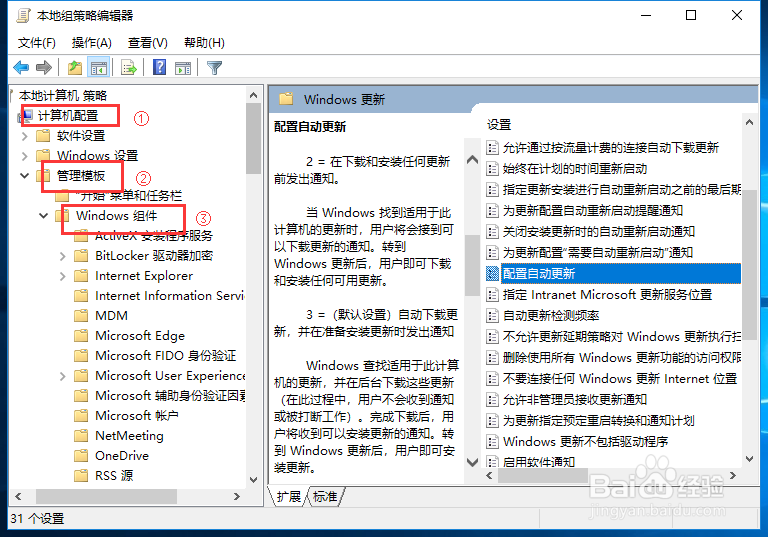
2、选择【计算机配置】-》【管理模板】-》【windows组件】
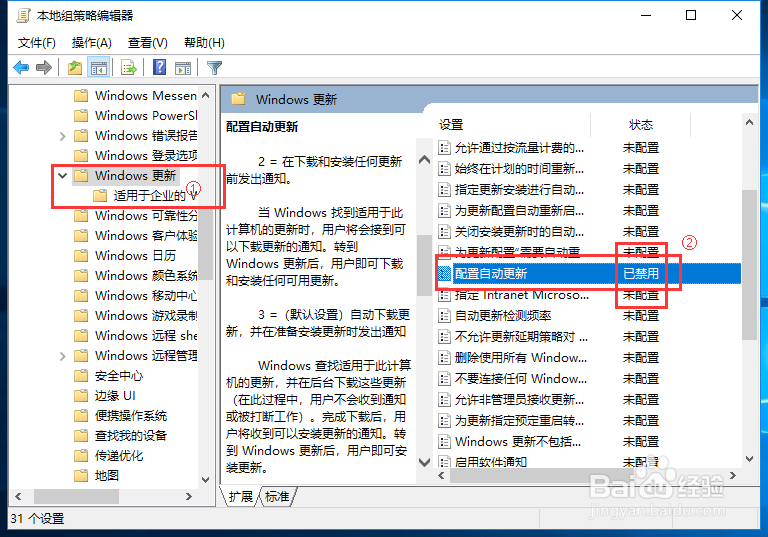
3、在右边【配置自动更新】,双击,然后选择已禁用。
1、在cmd中输入services.msc ,打开服务列表
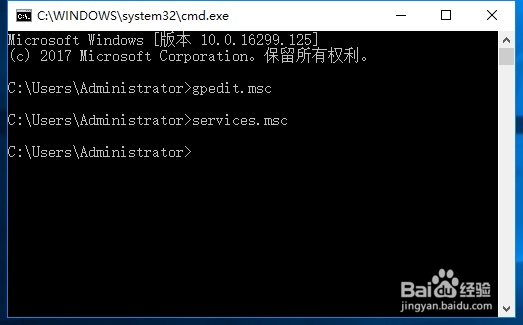
2、找到【windows update】 ,把启动类型改为禁用。
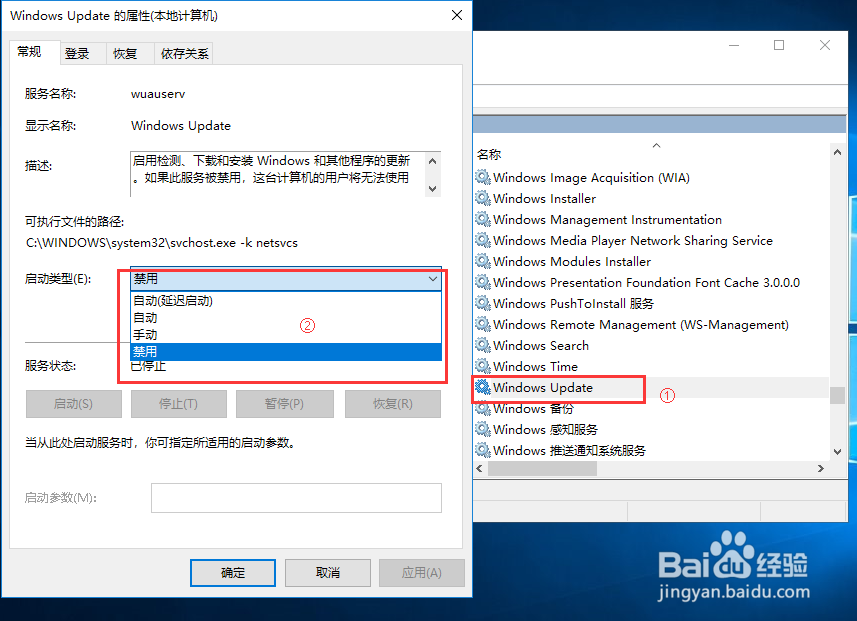
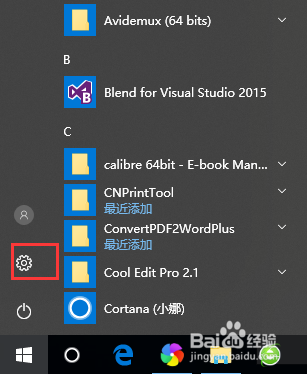
1、点击开始,选择【设置】按钮
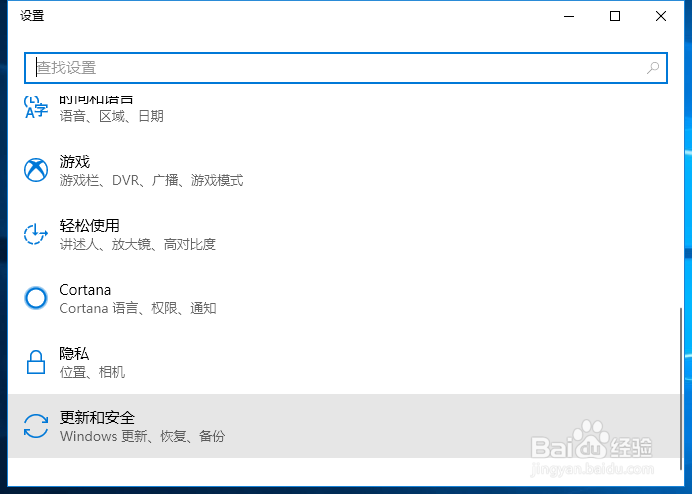
2、在设置中选择【更新和安全】
3、在更新设置中,进行相应修改和查看
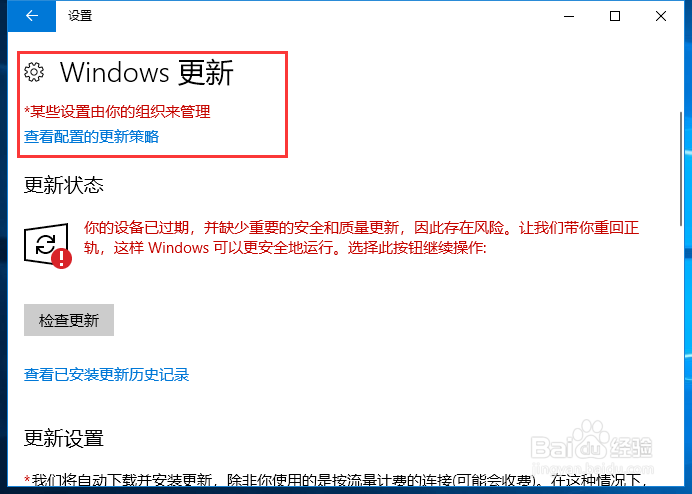
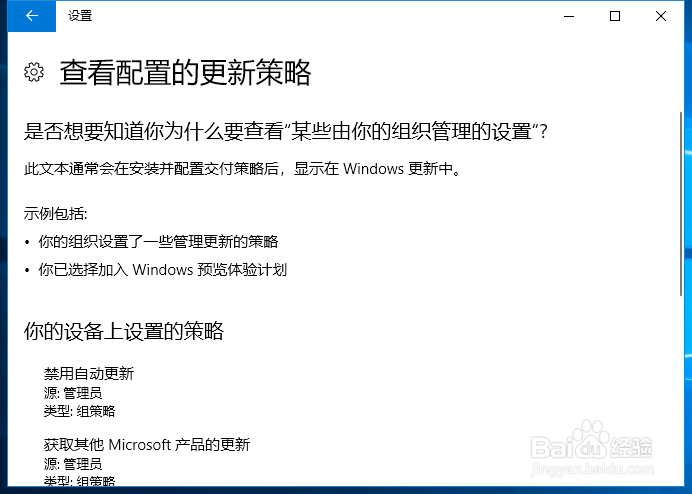
4、查看配置的更新策略
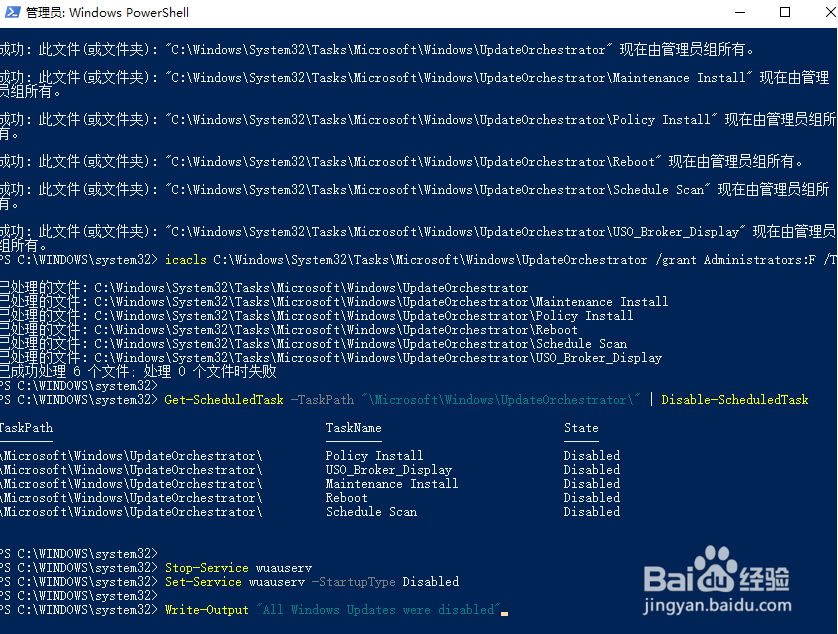
1、同时按住win+x键,然后选中POWER SHELL,一定要管理员模式
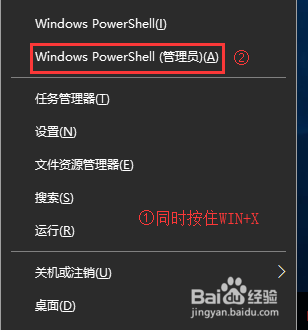
2、执行下面语句:
Clear-Host
$WindowsUpdatePath = "HKLM:SOFTWARE\Policies\Microsoft\Windows\WindowsUpdate\"
$AutoUpdatePath = "HKLM:SOFTWARE\Policies\Microsoft\Windows\WindowsUpdate\AU"
If(Test-Path -Path $WindowsUpdatePath) {
Remove-Item -Path $WindowsUpdatePath -Recurse
}
New-Item $WindowsUpdatePath -Force
New-Item $AutoUpdatePath -Force
Set-ItemProperty -Path $AutoUpdatePath -Name NoAutoUpdate -Value 1
Get-ScheduledTask -TaskPath "\Microsoft\Windows\WindowsUpdate\" | Disable-ScheduledTask
takeown /F C:\Windows\System32\Tasks\Microsoft\Windows\UpdateOrchestrator /A /R
icacls C:\Windows\System32\Tasks\Microsoft\Windows\UpdateOrchestrator /grant Administrators:F /T
Get-ScheduledTask -TaskPath "\Microsoft\Windows\UpdateOrchestrator\" | Disable-ScheduledTask
Stop-Service wuauserv
Set-Service wuauserv -StartupType Disabled
Write-Output "已经关闭所有的windows更新"