华为手机hmscore怎么设置不能更新
1、打开手机设置界面
点击手机桌面【设置】。

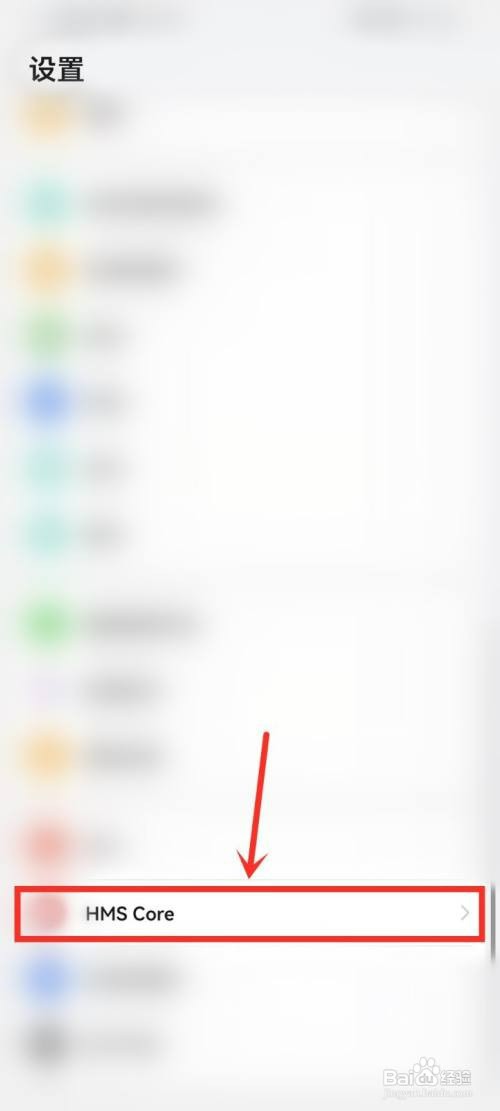
2、打开hmscore设置
点击【HMS Core】。
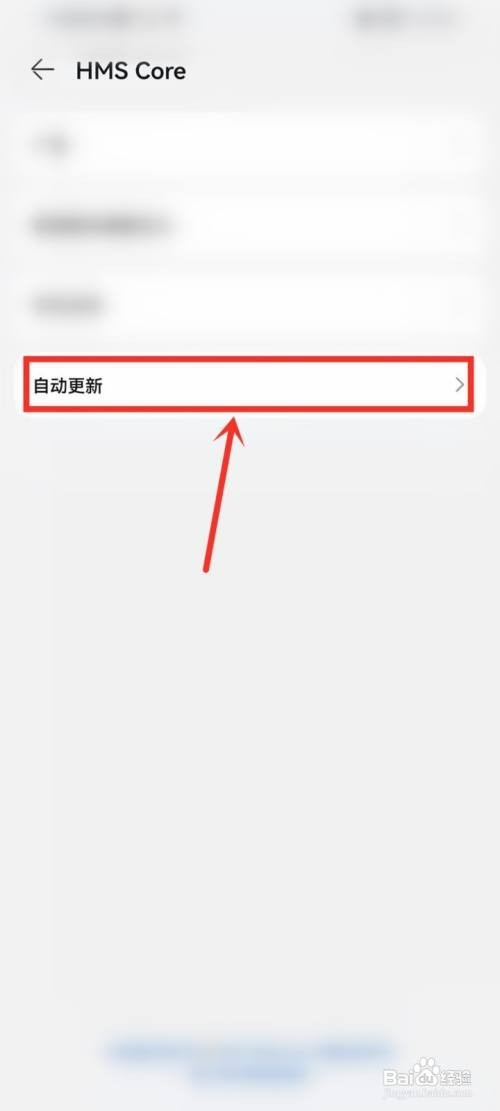
3、打开自动更新设置
点击【自动更新】。
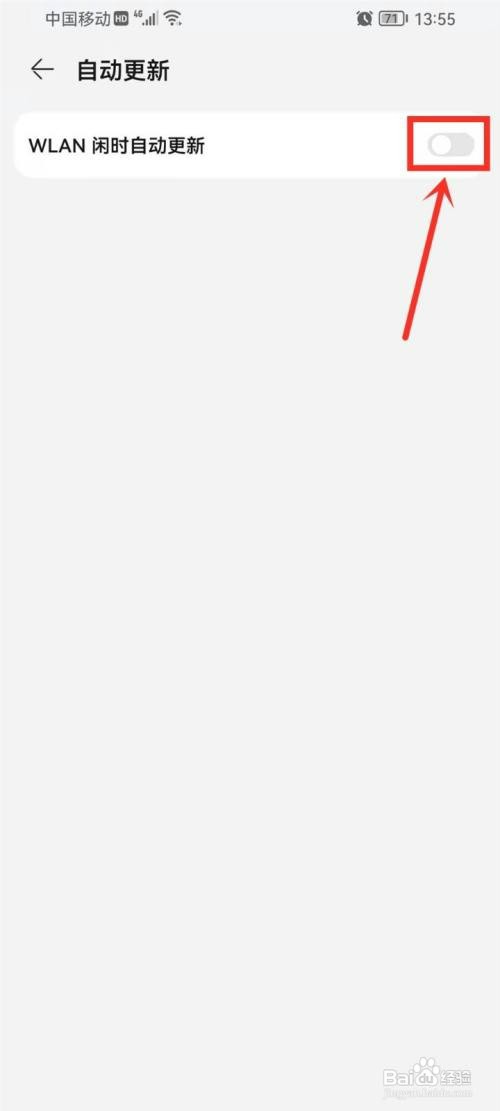
4、关闭自动更新
关闭【WLAN闲时自动更新】开关即可。
阅读量:37
阅读量:128
阅读量:136
阅读量:48
阅读量:36
1、打开手机设置界面
点击手机桌面【设置】。
2、打开hmscore设置
点击【HMS Core】。
3、打开自动更新设置
点击【自动更新】。
4、关闭自动更新
关闭【WLAN闲时自动更新】开关即可。