Apple ID怎么移除其他设备
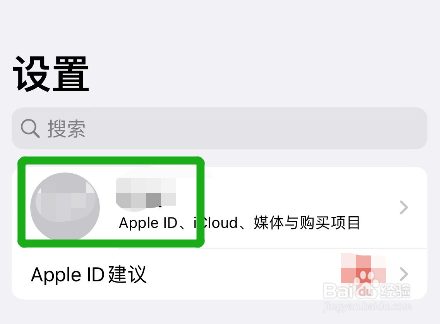
1、第一步 打开Apple ID
首先在手机【设置】页面中点击id头像
2、第二步 选择移除的设备
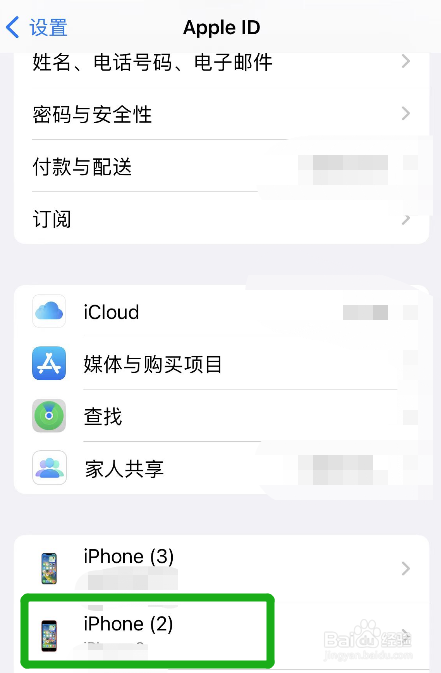
在【Apple ID】页面下方,找到需要移除的设备并点击
3、第三步 移除设备
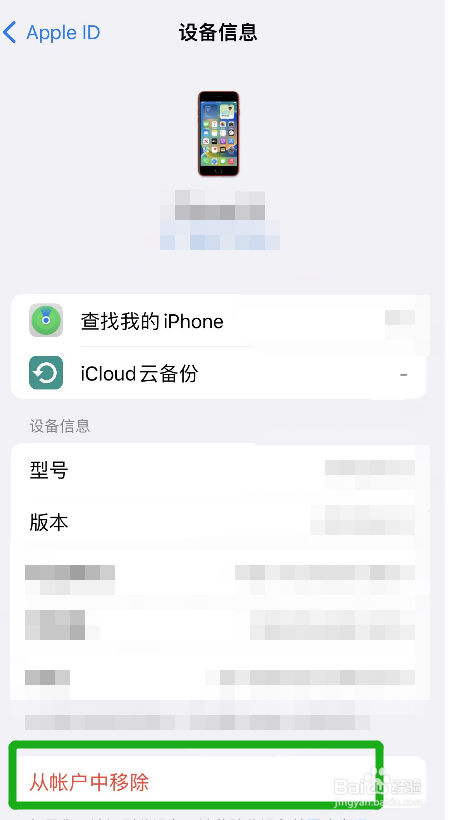
在【设备信息】底部,点击【从帐户中移除】就可以了
阅读量:44
阅读量:78
阅读量:81
阅读量:40
阅读量:136
1、第一步 打开Apple ID
首先在手机【设置】页面中点击id头像
2、第二步 选择移除的设备
在【Apple ID】页面下方,找到需要移除的设备并点击
3、第三步 移除设备
在【设备信息】底部,点击【从帐户中移除】就可以了