iphone13怎么换铃声
1、选择声音与触感
在iphone13设置中,选择“声音与触感”选项。

2、进入铃声和振动栏
在声音与触感设置中,进入“铃声和振动模式”功能栏。

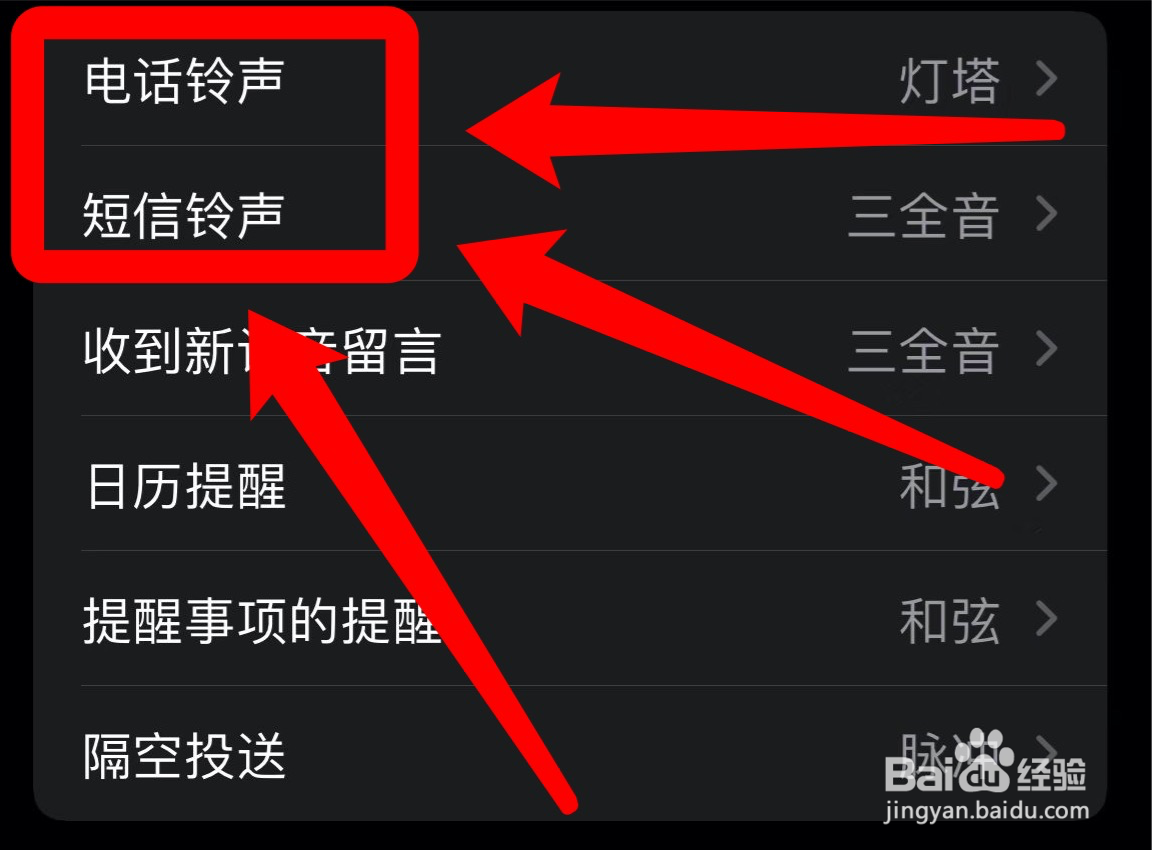
3、更换电话和短信铃声
在铃声和振动模式设置栏,进入电话铃声和短信铃声页即可更换铃声。
阅读量:110
阅读量:82
阅读量:167
阅读量:175
阅读量:140
1、选择声音与触感
在iphone13设置中,选择“声音与触感”选项。
2、进入铃声和振动栏
在声音与触感设置中,进入“铃声和振动模式”功能栏。
3、更换电话和短信铃声
在铃声和振动模式设置栏,进入电话铃声和短信铃声页即可更换铃声。